Zigzag is a native Mac browser designed to provide a lightweight alternative for users migrating away from the Arc browser. Developed by a high school student in Shanghai, the project aims to preserve the sidebar-centric navigation experience of Arc without the overhead of Chromium-based forks or AI-integrated browsers.
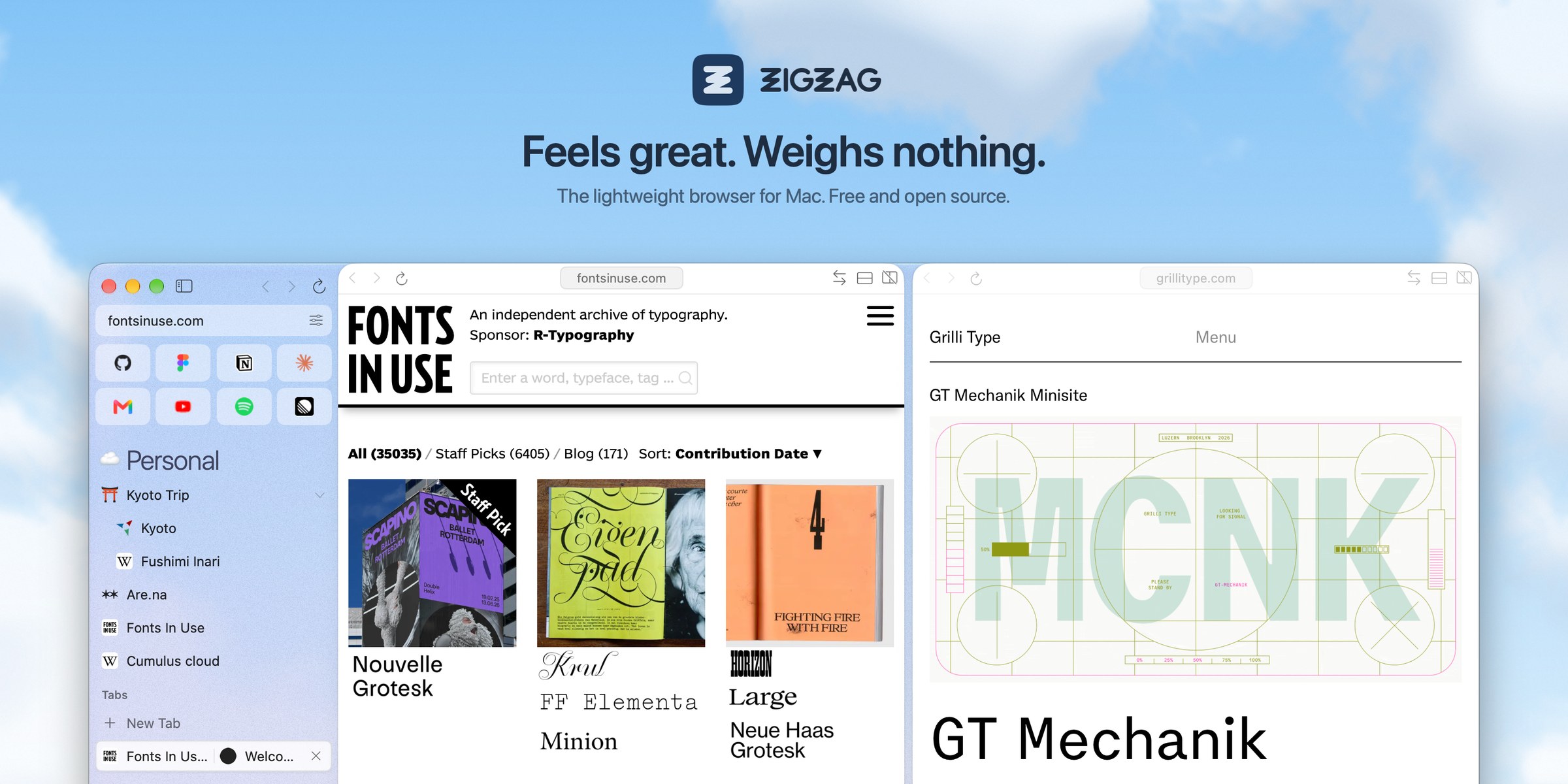
This image illustrates the primary user interface of Zigzag, highlighting its native Mac design and sidebar navigation.
Native Architecture and WebKit Integration
Unlike many modern browsers that rely on Chromium, Zigzag is built using Swift and AppKit around the WebKit engine already included in macOS. This architectural choice allows the app to be significantly smaller and more battery-efficient than competitors like Arc, which can exceed 800 MB in size.
By leveraging the system's native engine, Zigzag ensures that security fixes arrive automatically with macOS updates. It also supports Chrome extensions by downloading the CRX3 package from the Chrome Web Store and loading them through a custom bridge.
“Your tabs in a sidebar, grouped into spaces. A native Mac app in Swift on WebKit, about 35 MB installed, with no account and no telemetry.”
— GitHub - ZigaoWang/zigzag: Feels great. Weighs nothing. The lightweight browser for Mac.
Navigation and User Experience Features
The browser replicates several core Arc features, including 'Spaces'—grouped tabs with distinct colors and icons—and a command bar (⌘T or ⌘L) for searching tabs and history. It also includes 'Peek' for glancing at links and a 'Split View' that allows users to view up to four tabs simultaneously on one screen.

This visual demonstrates the 'Spaces' feature mentioned in the navigation and user experience section.
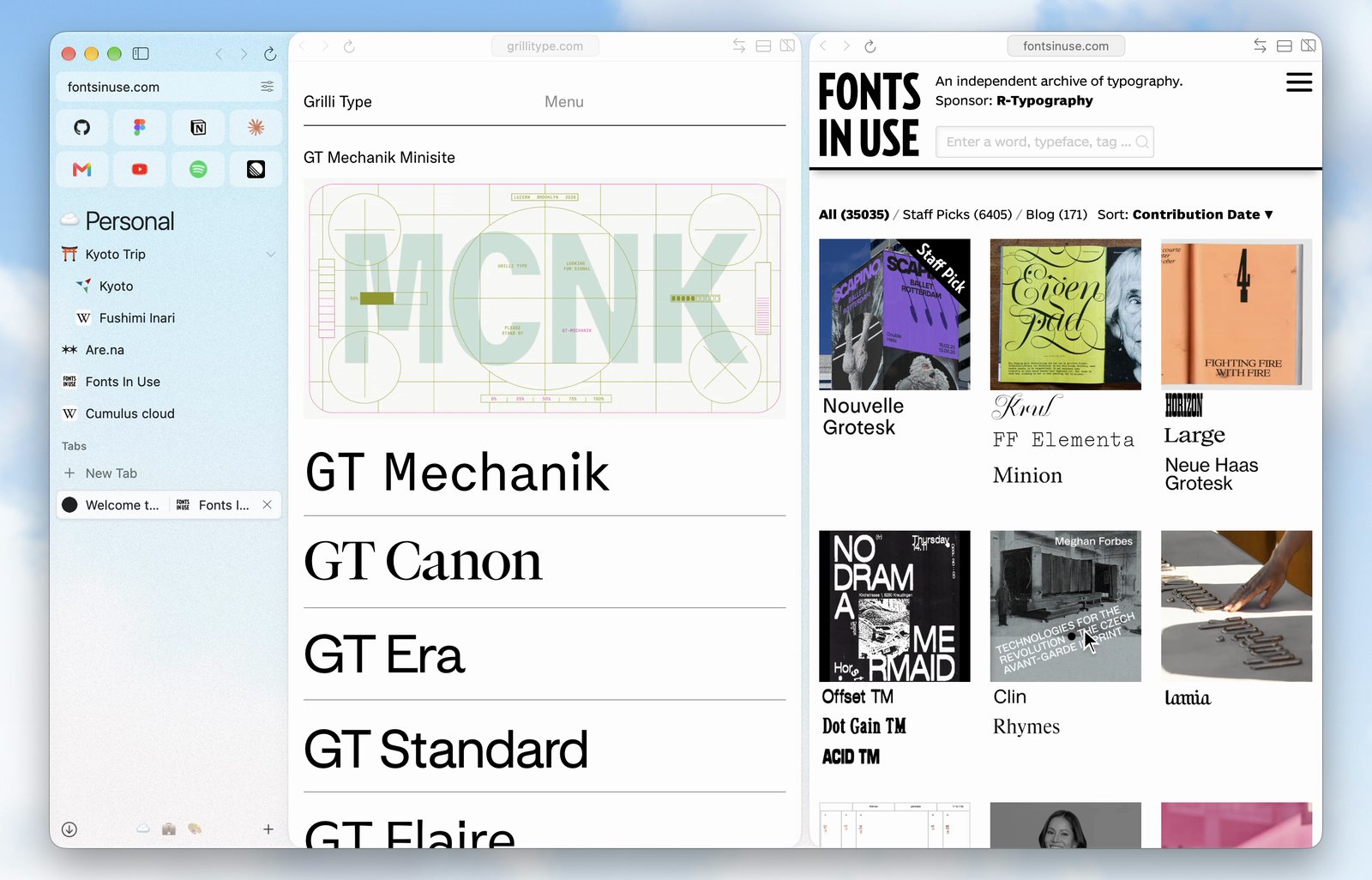
This image provides a concrete example of the 'Split View' functionality described in the article.
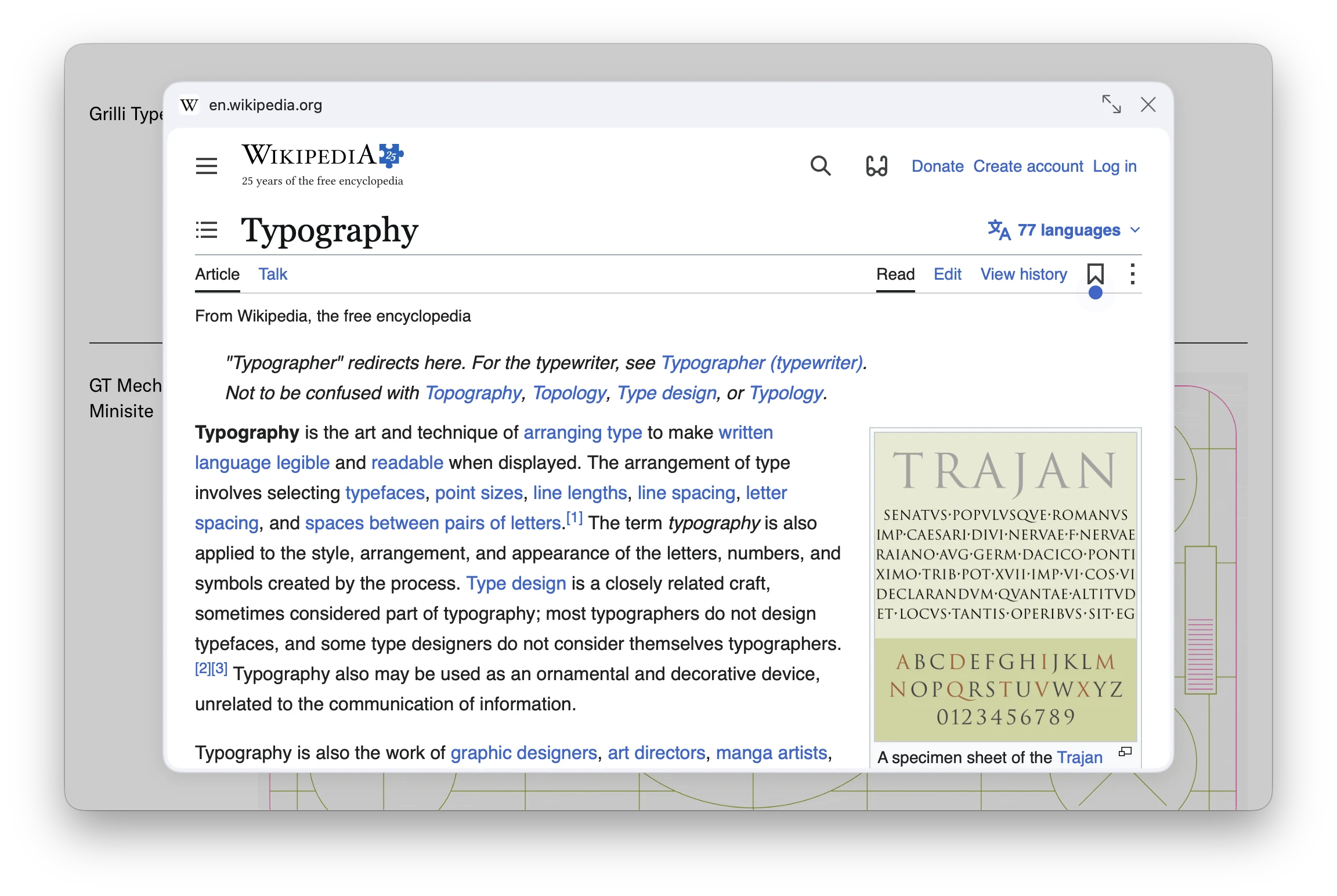
This image illustrates the 'Peek' functionality mentioned in the navigation features section.
For privacy and utility, Zigzag includes a built-in ad blocker with EasyList and EasyPrivacy rules, a 'Reader' mode for long-form content, and a password manager that syncs via iCloud Keychain. It also features a 'Mini player' that allows videos to float over other applications.
Migration Path and Technical Limitations
Zigzag provides a dedicated import process that pulls data from Arc, Chrome, Safari, and several other browsers. This includes moving over pinned folders, history, and even specific Arc profile configurations, though space icons must be re-selected manually.
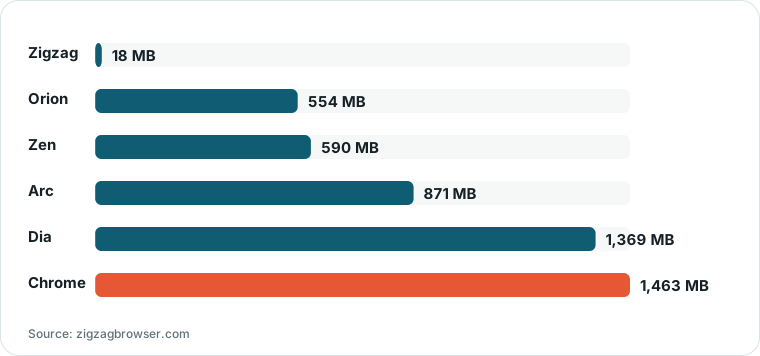
Chart drawn by HN Digest from figures reported by zigzagbrowser.com; values are shown as written in the source.
Because of its lightweight design, Zigzag currently lacks cross-device synchronization for spaces and tabs between Macs and iPhones. Additionally, some Chrome extension APIs—such as the tab groups API and Google account sign-in—are not yet supported.
What Hacker News readers are saying
- Experience: One user reported that the browser felt significantly snappier and smoother than Chromium-based alternatives, noting a lack of visual jank when interacting with the sidebar or switching spaces. comment ↗
- Experience: Another commenter noted a substantial improvement in efficiency, claiming that the browser used four times less RAM than the Zen browser on their Mac. comment ↗
- Skeptical: One commenter expressed skepticism regarding the security of the project, suggesting that users seeking an Arc replacement might prefer established alternatives over a new browser with AI-assisted development. comment ↗
- Skeptical: A different user argued against switching to the new tool, stating they prefer to stick with established browsers that have significant funding and structure behind them. comment ↗
Summarized opinions from the Hacker News thread, not verified facts. Read the full discussion ↗