A new open-source project called ZigZag was developed to bypass the subscription models often required by modern embroidery machines, such as those costing $300 or more. Built with a Rust engine for high performance, the software allows creators to transform SVG artwork into various machine-compatible formats like PES, DST, and JEF, while offering direct Bluetooth transmission to specific hardware like the Brother Skitch (PP1).
Core Functionality and Machine Compatibility
ZigZag functions as a visual embroidery editor that handles the complex process of 'digitizing' artwork—turning flat graphics into a series of needle paths. It supports various stitch types, including Tatami fills, Satin columns, and specialized stitches like Cross-stitch and Tartan.
The software is designed for broad compatibility, exporting to standard formats used by major brands like Brother and Janome. Additionally, it includes a specific Bluetooth protocol to send designs directly to the Brother Skitch (PP1) device.
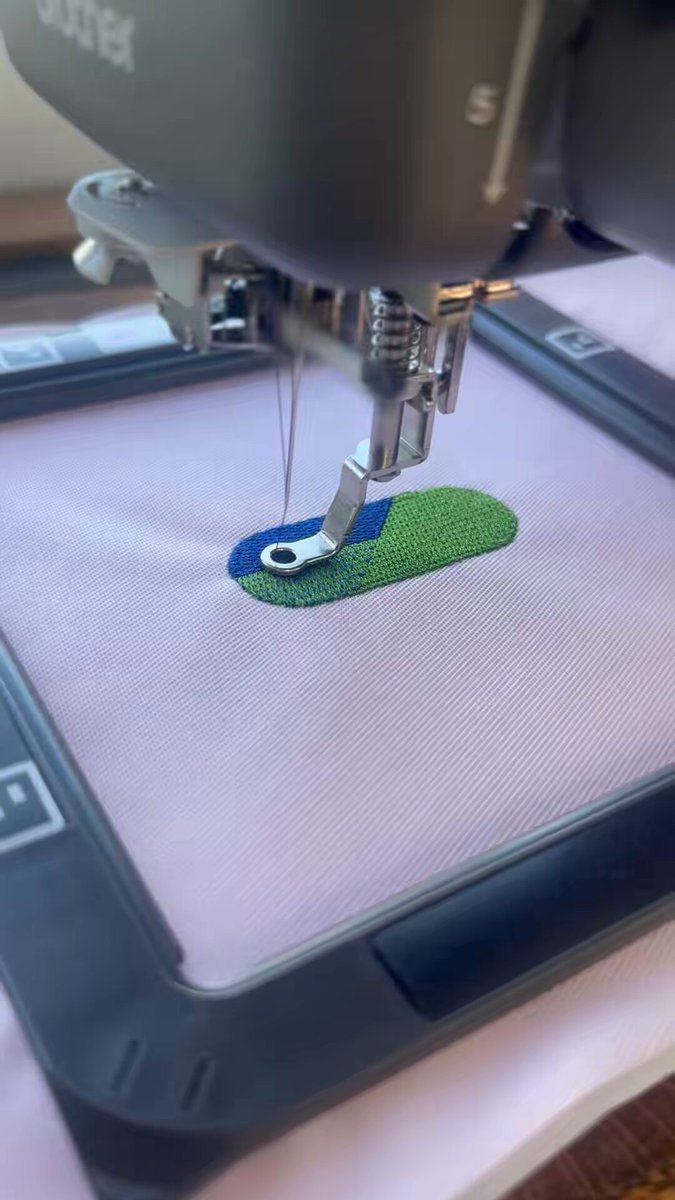
The image demonstrates the software's ability to communicate with and control specific embroidery hardware.
“ZigZag is a visual embroidery editor built in Rust for performance, with built-in MCP (Model Context Protocol) support so AI agents can create and edit designs alongside you.”
— GitHub - simpsoka/zigzag: Free, open-source embroidery software for Mac and Windows. Turn SVG artwork into machine embro
Technical Architecture and AI Integration
The project utilizes a Rust engine to power both a graphical studio and a command-line tool. A significant technical feature is the inclusion of Model Context Protocol (MCP) support, which enables AI agents to interact with the software to generate or modify embroidery designs alongside the human user.
The planning engine handles several automated tasks, such as removing overlaps between objects to prevent unnecessary stitching, determining the optimal 'cap order' for thread changes, and routing travel stitches to stay within the shape boundaries.
User Interface and Design Tools
The ZigZag studio is styled after professional vector graphics software like Adobe Illustrator. It provides tools for direct selection, pen-based path drawing, and 'smart guides' that snap points to anchors and centers to ensure precise alignment.
Users can perform advanced path operations such as 'Simplify' (which reduces the number of points in a curve), 'Round Corners,' and 'Image Trace.' The latter allows users to drop in images like PNGs or JPEGs and automatically trace them into flat-color shapes suitable for embroidery.
Limitations and Context
While ZigZag offers a free alternative to proprietary software, the source material does not provide specific performance benchmarks against commercial competitors. It also does not detail the specific costs or feature sets of the subscription models it aims to replace.
The software currently supports Mac and Windows platforms, with the Mac version being signed and notarized by Apple to ensure it runs without security warnings.
What Hacker News readers are saying
- Alternative: Several commenters recommended existing alternatives, such as the InkStitch plugin for InkScape or other projects like Embroidermodder, noting that while these tools may require manual adjustments, they are established options for converting SVGs to embroidery files. comment ↗
- Skeptical: Some users expressed concern that hardware manufacturers might respond to these types of open-source projects by implementing more rigorous security measures, such as signed firmware or secure boot, to prevent unauthorized software from running on their devices. comment ↗
- Experience: One commenter shared their experience with high-cost professional software, explaining that they previously abandoned the hobby because the only reliable software was prohibitively expensive and eventually blocked trial-based workarounds. comment ↗
- Open question: A commenter raised questions regarding the technical safety of the generated files, specifically asking how the app ensures that the stitch patterns won't cause the needle to break or cause excessive overlapping that could damage the machine. comment ↗
Summarized opinions from the Hacker News thread, not verified facts. Read the full discussion ↗