GitHub has released workflow lockfiles to mitigate supply-chain attacks where an attacker moves a previously safe version tag to a malicious commit. This new feature allows developers to maintain the readability of version tags (like `v7.0.1`) in their configuration files while the system automatically enforces the exact commit SHA associated with that tag at the time of locking.
The Risk of Mutable Tags
In standard GitHub Actions configurations, developers often use tags to reference actions. However, because tags are mutable, a supply-chain attack can occur if an attacker points a trusted tag at a new, malicious commit. To prevent this, the previous best practice was to pin actions directly to a full SHA, which is less human-readable and harder to manage manually.
“Lockfiles let you keep readable tag and branch references in your workflows while running the exact commits you locked, even if those references move.”
— GitHub Actions workflow lockfiles are generally available - GitHub Changelog
How the Lockfile Mechanism Works
The new lockfile system bridges the gap between readability and security. By using the `gh actions-lock` extension, a developer can run a command that scans the workflow and generates a machine-readable `.github/workflows/actions.lock` file. This file maps the human-readable tags used in the YAML file to the specific commit hashes they represent.
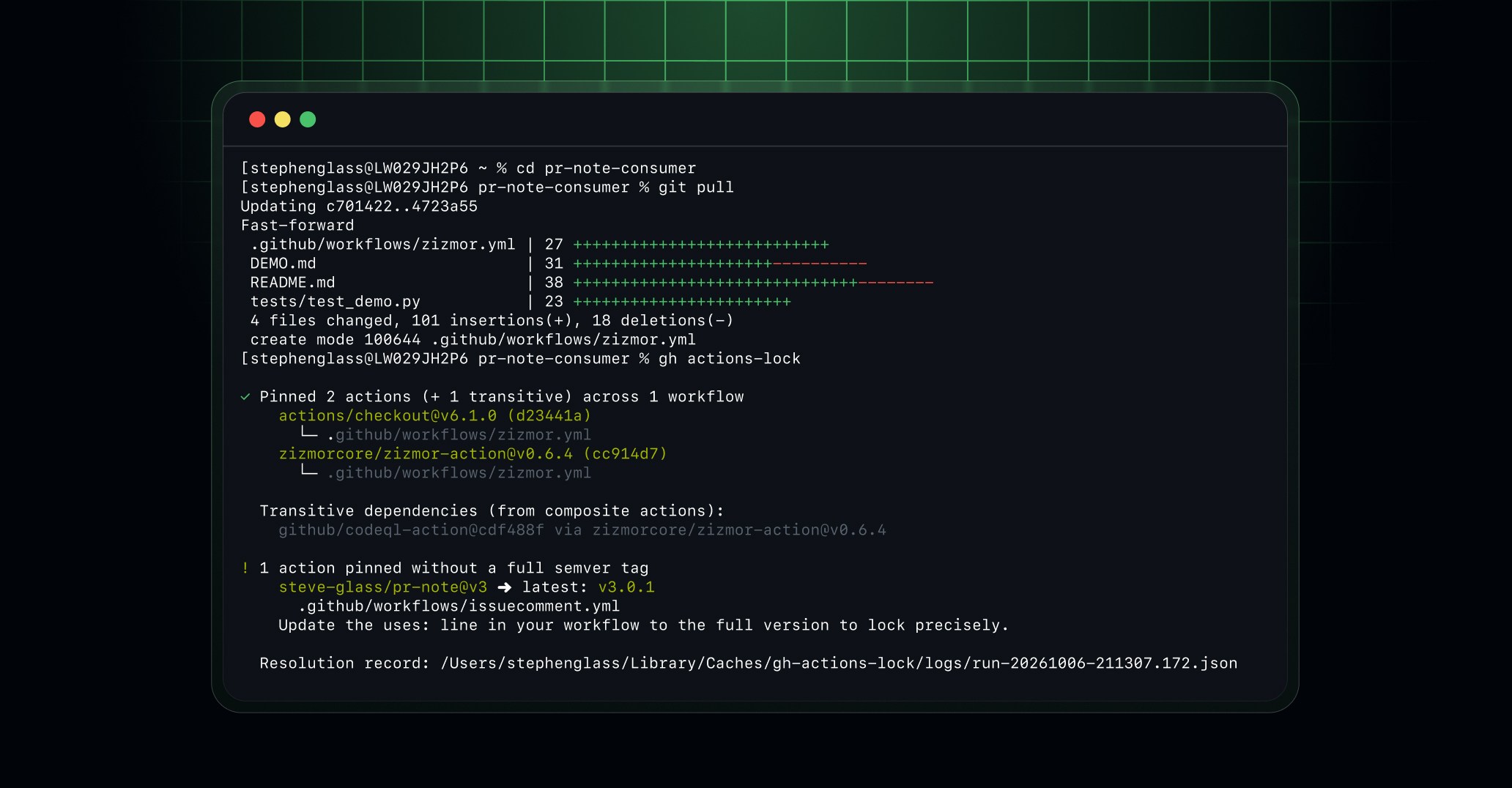
This image demonstrates the practical application of the gh actions-lock tool mentioned in the mechanism section.
When a workflow is executed, GitHub Actions checks the lockfile. If a dependency is listed, the runner executes the recorded commit rather than whatever the current tag points to. This ensures that the code being executed is exactly what was verified during the locking process.
Automation and Verification
To maintain these locks over time, GitHub has integrated support for Renovate and Dependabot. When these tools open a pull request to update a version, they automatically regenerate the corresponding entry in the lockfile. This allows for automated dependency updates without breaking the security guarantees of the lock.
GitHub also recommends verifying the lockfile within the CI pipeline. Developers can use a dedicated job to run `gh actions-lock --verify`, which ensures the lockfile is in sync with the workflow configuration and has not been corrupted or manually tampered with.
Current Limitations and Trade-offs
While lockfiles provide a significant security layer, they do not determine if a dependency is inherently 'safe'; they only ensure the dependency has not changed since it was locked. Users are still encouraged to review dependencies before committing them to a lockfile.
There are currently technical limitations regarding complex workflows. Lockfiles do not support locking reusable workflows or composite actions directly. Composite actions are only locked transitively through their call sites, meaning an individual caller remains safe, but the composite action itself remains unlocked for other potential callers.
What Hacker News readers are saying
- Technical note: One commenter, who is a maintainer of a related project, noted that the current lockfile implementation has limitations, such as not locking reusable workflows or composite actions directly. comment ↗
- Skeptical: Several commenters expressed concerns that lockfiles might not prevent malicious behavior if an action's internal logic pulls in external dependencies or executes arbitrary shell commands. comment ↗
- Alternative: One user suggested that instead of importing external actions, developers could copy and paste the necessary scripts directly into their configuration to maintain full control. comment ↗
Summarized opinions from the Hacker News thread, not verified facts. Read the full discussion ↗