Ultorg functions as a general-purpose graphical user interface designed to bridge the gap between complex relational databases and the familiar usability of spreadsheets. By generating SQL queries in the background, the tool allows users to interact with data from sources like PostgreSQL, Microsoft SQL Server, and Google Sheets through a unified, spreadsheet-like manipulation surface.
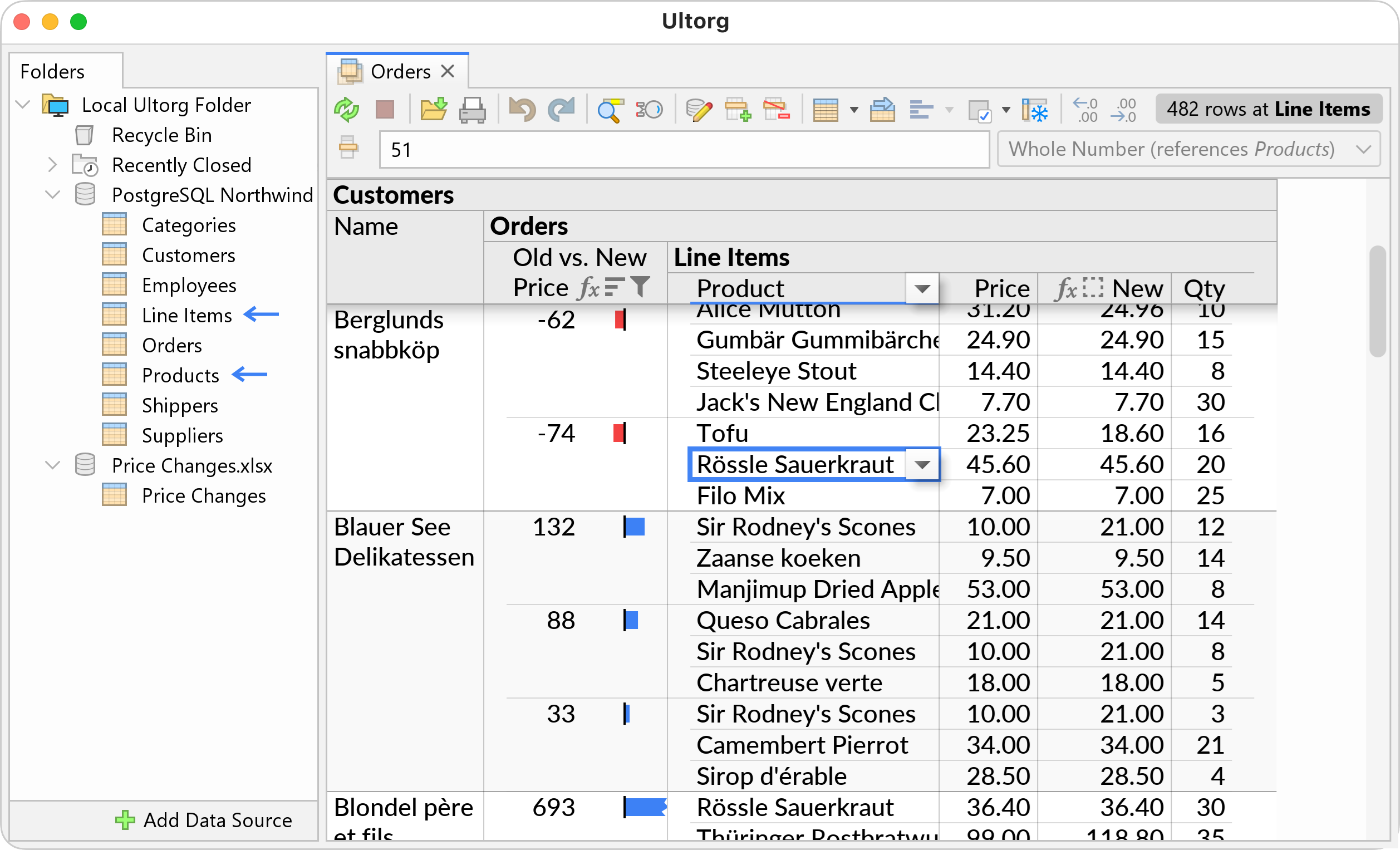
This image illustrates the core concept of Ultorg as a spreadsheet-like interface for relational databases.
Visualizing Complex Data Relationships
A core feature of Ultorg is its ability to handle 'Visual Joins,' which combine data from different tables based on common identifiers like a Customer ID. While many tools struggle with one-to-many relationships—where one row in a primary table matches multiple rows in a secondary table—Ultorg uses a specialized system of visual data layouts to keep these results compact and readable.
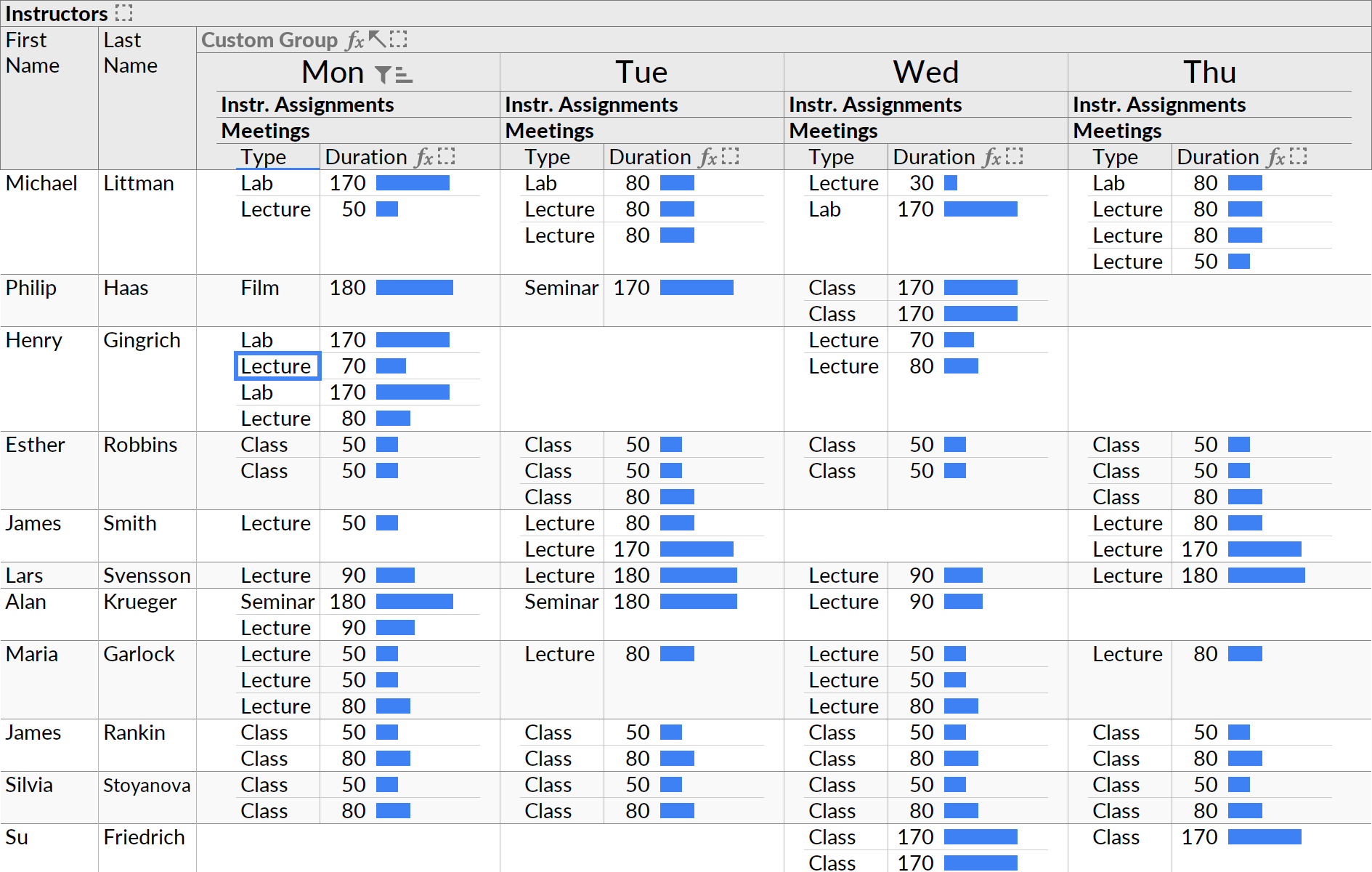
This visual demonstrates how Ultorg handles complex data relationships through specialized layouts.
This visualization extends to complex database operations, such as grouping fields to calculate sums or averages. Ultorg displays the individual values contributing to a group-wise sum, allowing users to audit the query visually and tweak input filters or calculations while maintaining confidence in the aggregated totals.

This screenshot shows the tool's ability to handle complex operations like grouping and formula editing.
“Ultorg is an efficient, spreadsheet-like UI for relational databases.”
— Ultorg: The User Interface for Relational Databases
SQL Interaction Without SQL
The interface provides a 'SQL Without SQL' experience where the tabular layout on the screen represents a live database query. Users can refresh or modify the view without risking changes to the underlying raw data, providing a rapid alternative to hand-typed queries for both database experts and non-technical users.
Beyond simple viewing, Ultorg supports full CRUD (Create, Read, Update, Delete) operations. Users can edit individual cells, select values from dropdowns, and review changes before committing them to the database, effectively serving as a replacement for custom-built internal business tools.

This image highlights the tool's ability to consolidate disparate data sources into a single interface.
Automated Layout and Connectivity
To manage the complexity of large-scale engineering or business data, Ultorg employs a dynamic autolayout engine. It analyzes data on the fly to derive defaults for label placement, decimal precision, and pagination, which eliminates the manual labor of formatting individual fields across dozens of tables.
The platform supports a wide array of data sources, including MySQL, MariaDB, DuckDB, and Parquet files, as well as Microsoft Access files and CSV/TSV files. It is designed to run locally or on a corporate network, ensuring that data remains private rather than requiring a cloud connection.