ZapFast is a native desktop application for Linux, macOS, and Windows that achieves an idle RAM footprint of approximately 200 MB, a significant reduction compared to the 1.13 GB required by WhatsApp Web in similar tests. By utilizing the Rust programming language and the egui framework, the client aims to provide a faster, more resource-efficient alternative for users who find browser-based messaging apps heavy on system performance.
Architecture and Performance Gains
The primary technical distinction of ZapFast is its lack of a browser engine. While WhatsApp Web relies on the heavy overhead of a web browser to render the interface, ZapFast uses the egui and fastframe frameworks to build a native desktop experience.
This visual reinforces the technical choice of using Rust to achieve a low memory footprint.
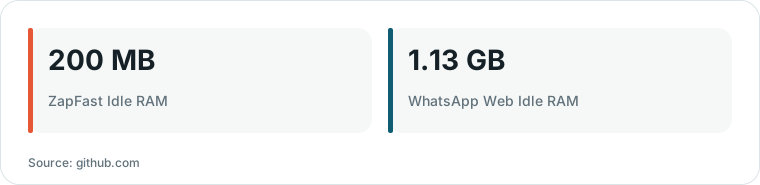
Chart drawn by HN Digest from figures reported by github.com; values are shown as written in the source.
This architectural choice directly impacts performance. The developers report that the application maintains a much smaller memory footprint, which is particularly beneficial for users on systems where browser-based messaging apps can cause significant slowdowns.
“In our Linux test it opens in under a second and uses about 200 MB of idle RAM, against 1.13 GB for WhatsApp Web.”
— GitHub - crmne/zapfast: ZapFast: a fast, native WhatsApp client in Rust and egui
Functionality and Local Data Management
ZapFast functions by linking to a mobile device as a companion. Once linked, it fetches messages and media, allowing users to send formatted text, reactions, and voice messages directly from the desktop.
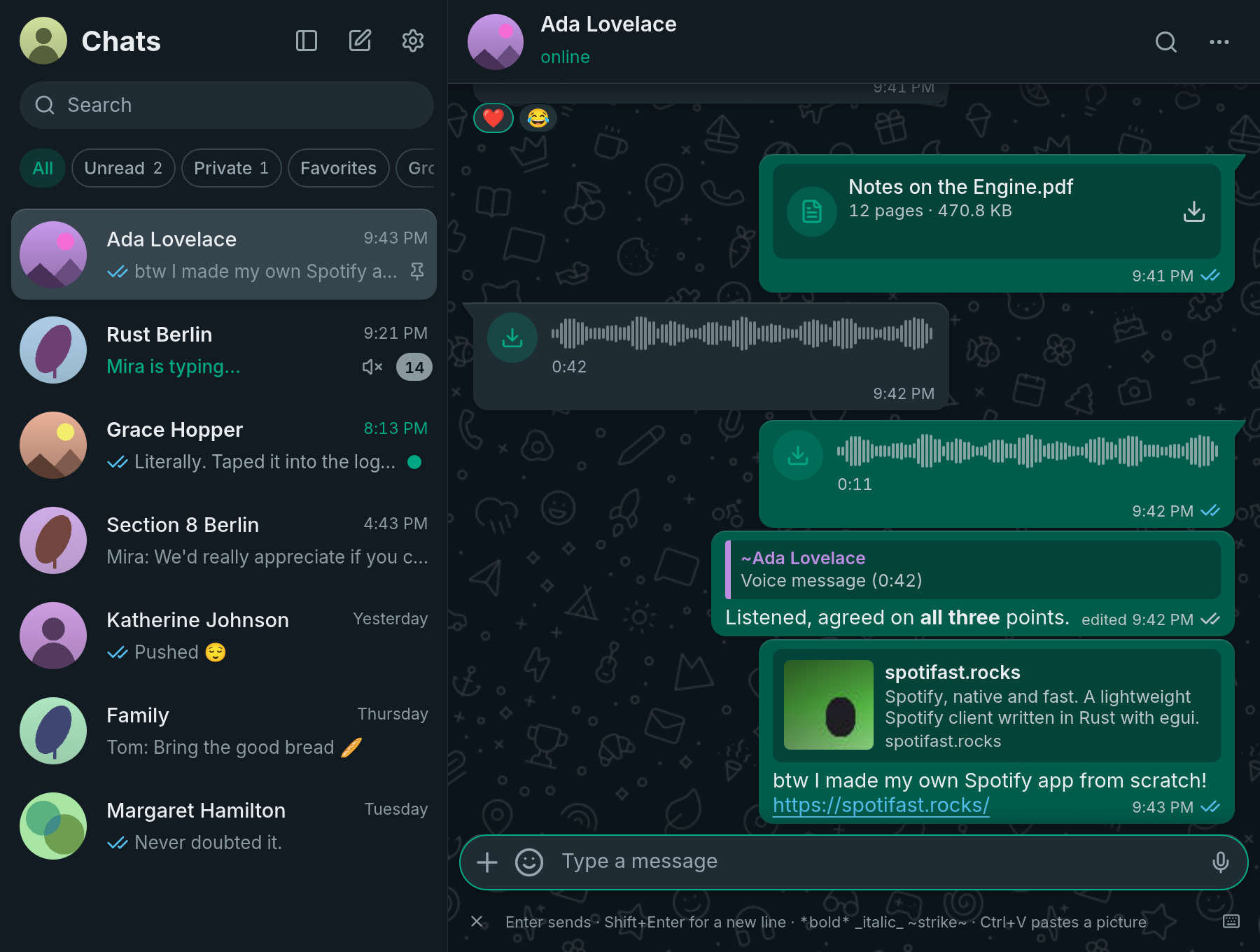
This image illustrates the native desktop interface and functionality of the ZapFast client.
A notable feature for privacy-conscious users is the local encrypted archive. The application keeps chats on the user's computer, allowing for the export of history as text or ZIP files. Unlike many web-based solutions, the app does not send user data to the developers' servers.
Trade-offs and Account Considerations
Because ZapFast is an unofficial client, it carries specific considerations regarding account safety. The project documentation includes sections for users to understand account risk and safety when using a non-official interface.
While the app provides a more streamlined experience and better local data control, the project remains an independent effort. Its continued compatibility depends on the underlying whatsapp-rust library and the user's willingness to use a third-party client.