DBDelve achieves a launch time of just 1.1 seconds and an idle memory footprint of 133 MB, significantly outperforming DBeaver's 5.2-second launch and 606 MB idle memory in comparative benchmarks. Developed by Shayan Abbas, the tool aims to provide a 'fast and lightweight' experience by avoiding the overhead of Electron and the Java Virtual Machine (JVM), which the developer identifies as sources of bloat in existing database clients.
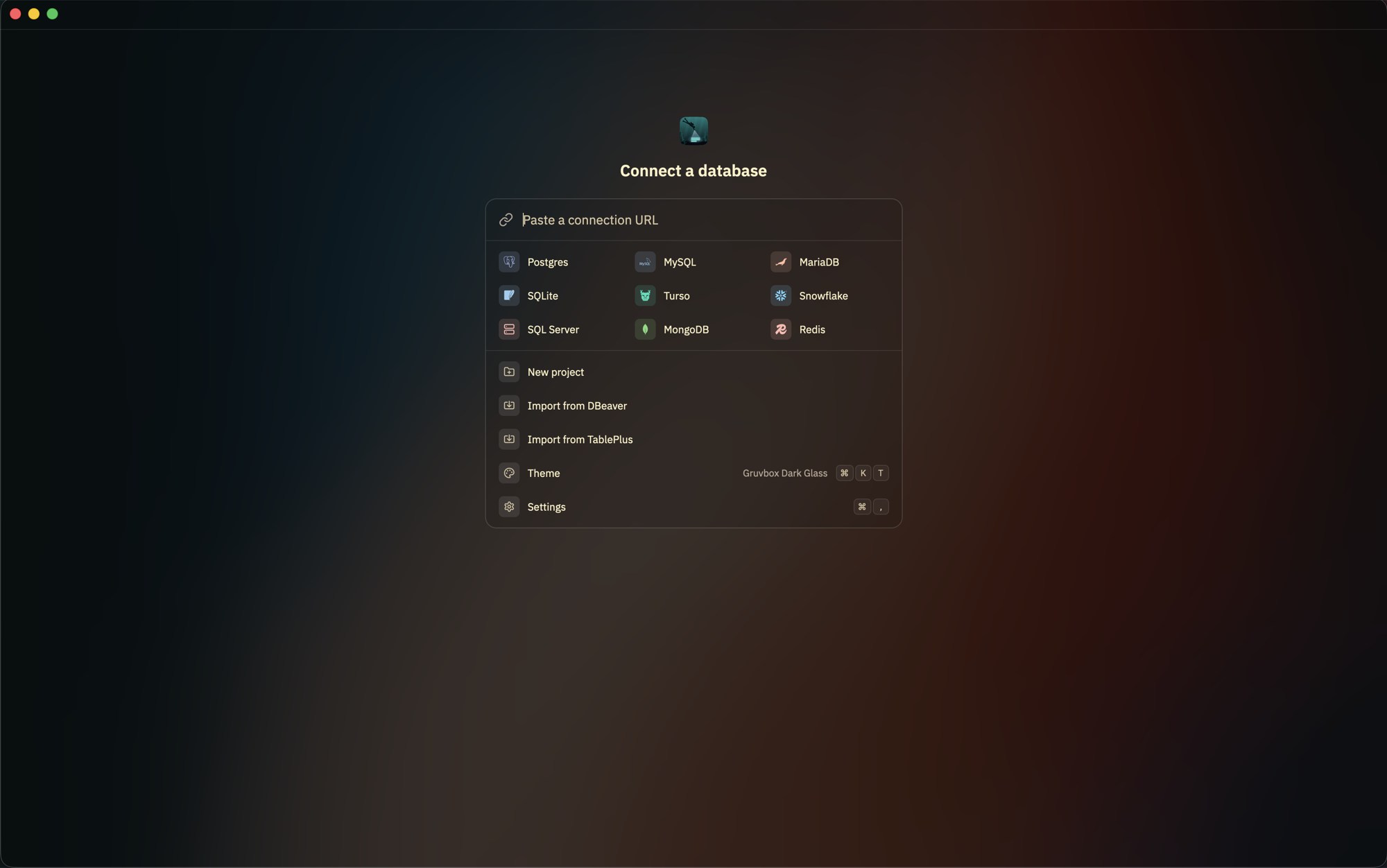
The welcome screen is the first point of interaction for users, facilitating easy setup and theme selection.
Architecture and Performance Goals
The primary technical distinction of DBDelve is its use of Rust and the GPUI framework. By opting for a native approach, the developer seeks to provide 'instant startup' and 'smooth scrolling through large tables' where other clients might crash or hit memory limits.
In a benchmark conducted on an M1 Pro chip with 32 GB of RAM, DBDelve demonstrated a 2.5x speed advantage over DBeaver when querying a 1 million-row table. Furthermore, it utilized roughly 70% less memory than DBeaver when pulling that same large dataset into memory.
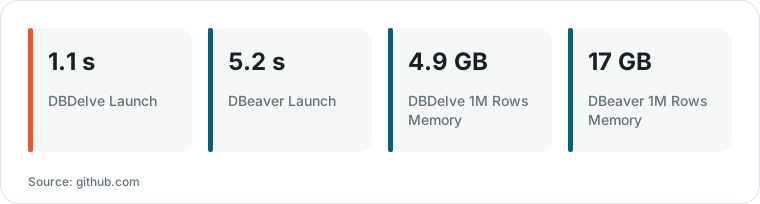
Chart drawn by HN Digest from figures reported by github.com; values are shown as written in the source.
“A fast, native, cross-platform, multi-engine database client. Written in Rust with GPUI, no Electron and no JVM: instant startup, friendly on your memory, and smooth scrolling through large tables where other clients crash or introduce limits.”
— GitHub - ShayanAbbas1/dbdelve: Fast and lightweight DB Client made in Rust and GPUI.
Feature Set and Workflow Integration
The client supports multi-engine connectivity, including SQL-based systems like MariaDB and ClickHouse, as well as NoSQL options like MongoDB and Redis. It also includes a bundled ODBC bridge to reach additional databases such as Oracle, IBM Db2, and Amazon Redshift.
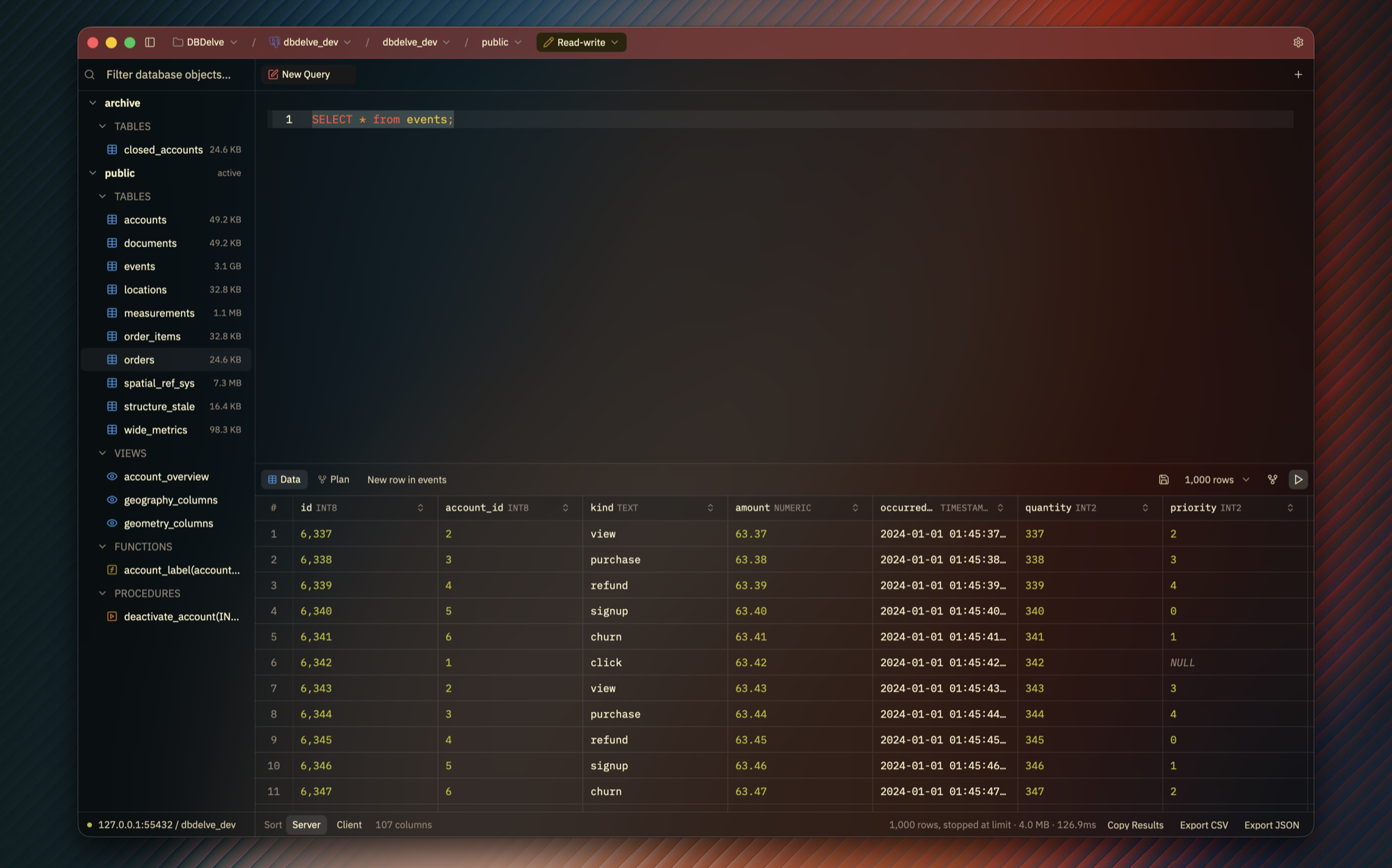
This image demonstrates the core query editor and result grid functionality in a popular dark theme.
To facilitate a smooth transition for existing users, DBDelve allows for the direct import of connections from popular competitors. It also features a 'keyboard-first' design with a unified palette for commands, history, and connections, alongside a query plan pane that highlights bad row estimates.
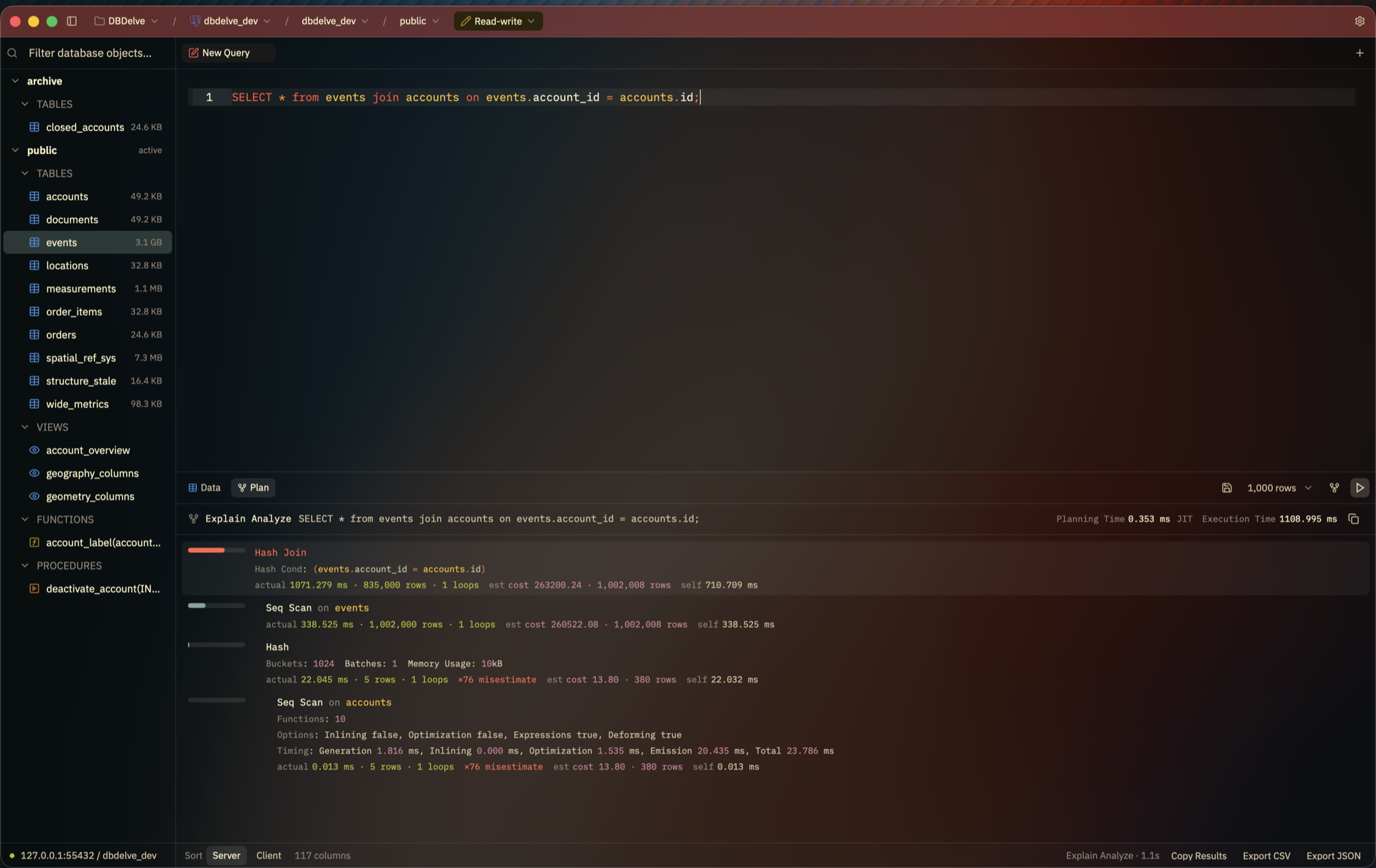
The application includes a query plan pane that helps users identify performance bottlenecks.
Safety and Customization
To prevent accidental data loss, DBDelve isolates every connection and allows users to color-code title bars to distinguish between production and staging environments. It also prompts the user before executing any destructive commands.
The software supports extensive visual customization, including several built-in themes and the ability to import themes from the Zed or VS Code editors. While it offers a high degree of flexibility, grid editing is currently disabled, and statements run under the specific mode of the active connection.
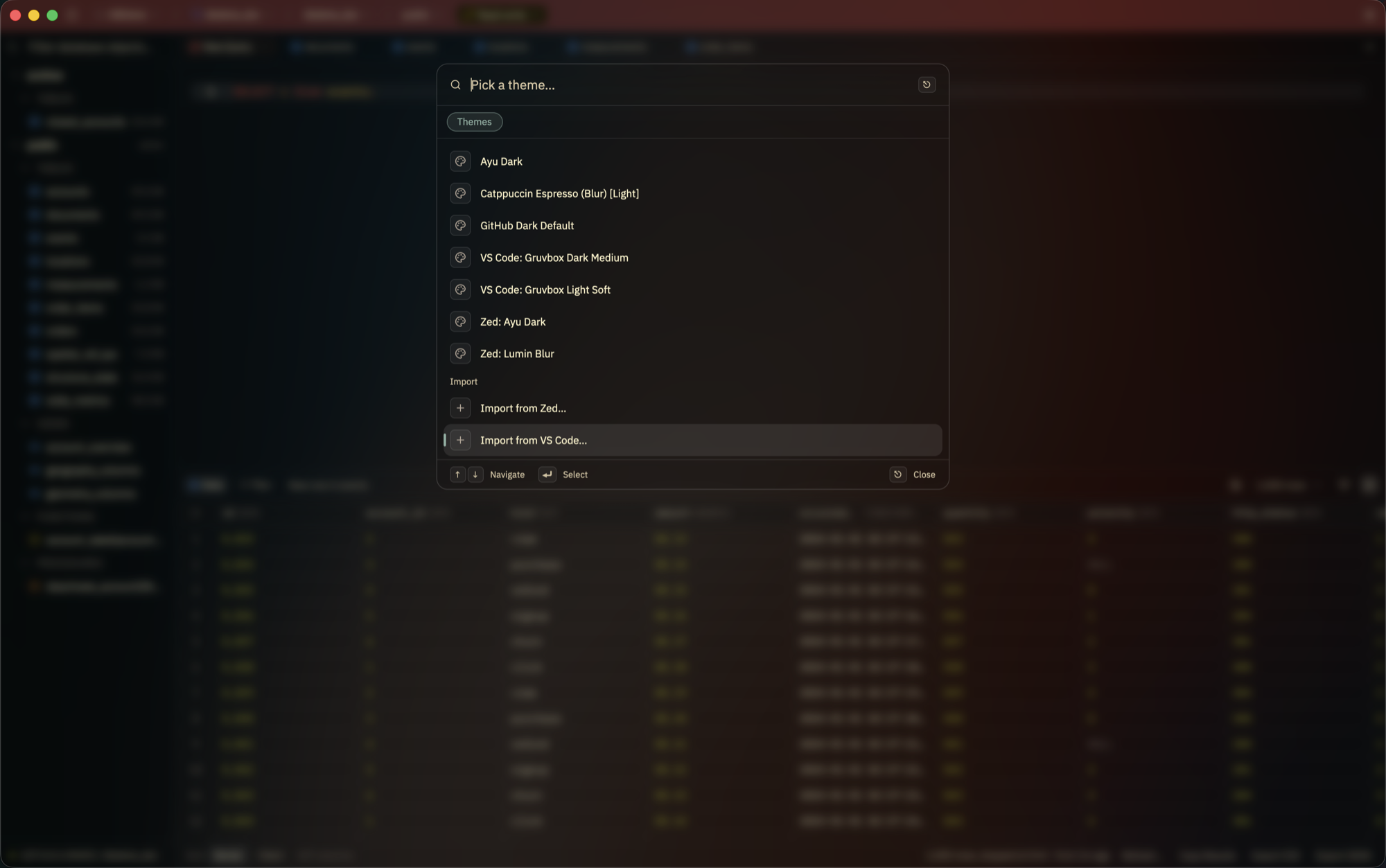
The software supports extensive visual customization, including themes imported from the Zed or VS Code editors.
What Hacker News readers are saying
- Experience: One commenter expressed interest in the tool as a potential cross-platform alternative to MySQL Workbench for a data product, noting that while Workbench was capable, it is becoming outdated. comment ↗
- Experience: Another user shared that while the UI looks nice, they noted that working with the underlying crates can be difficult because they are not officially updated on crates.io. comment ↗
Summarized opinions from the Hacker News thread, not verified facts. Read the full discussion ↗