PyPI has completed a major redesign of its project detail pages to help developers and users identify the verifiable origin of Python packages. By surfacing 'provenance'—the cryptographic record of where a release file came from—the platform aims to provide clearer signals when a package's publishing pipeline may have been compromised by malicious actors.
Verifying Release Provenance
The core of the update is the introduction of a new security tab that communicates the provenance state of each release. PyPI calculates this by checking if every file in a release carries a digital attestation, which provides a verifiable record of the file's origin.
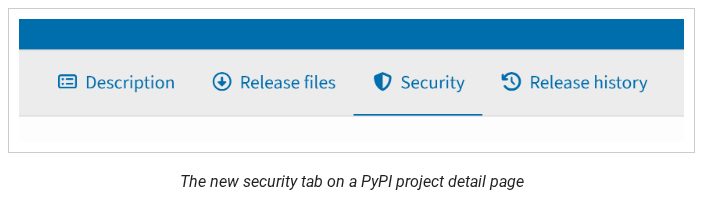
This image shows the primary interface update for verifying release provenance.
A release with 'Full Provenance' means 100% of its files have attestations, such as PyPI Publish attestations (confirming a Trusted Publisher) or SLSA Build Provenance (linking the file to a specific source commit and build platform).
Conversely, 'No Provenance' indicates that no file in the release has an attestation. While this does not inherently mean a package is malicious, it signifies that the file's origin cannot be cryptographically verified.
“No provenance" simply means that no file in the release has an attestation. This is typical for older releases or projects that have not yet configured Trusted Publishing.”
— PyPI's redesigned project pages with clearer security signals are now live - The Python Package Index Blog
Automated Provenance Warnings
To help users identify risks like account takeovers, PyPI now surfaces prominent warnings when provenance metadata looks unusual. These warnings appear at the top of the project page, alongside status banners for yanked or archived projects.
Specific warnings include 'Incomplete Provenance,' which flags releases where only some files have attestations; 'Inconsistent Provenance,' which indicates files originated from different build systems; and 'Change of Provenance,' which signals a shift in the repository or workflow from a previous release.

This image illustrates the specific UI warnings introduced to flag potential account takeovers or unusual provenance metadata.
A 'Loss of Provenance' warning is also triggered if a project that previously used attestations switches to a method that does not generate them, such as reverting to API tokens.
UI Improvements and Limitations
Beyond security signals, the project detail page features a redesigned metadata sidebar and a release files tab. The sidebar now orders information by utility, while the release files tab allows users to search, filter, and identify 'late files'—those uploaded more than 14 days after the initial release timestamp.
The new interface also includes a release history tab that provides a high-level overview of file counts and provenance states for all past versions of a package.

This visual demonstrates the reorganized release history tab mentioned in the UI improvements section.
A key limitation remains: 'No Provenance' status requires users to manually evaluate surrounding trust signals, such as maintainer history and repository activity, as the platform cannot automatically verify the safety of unauthenticated files.