While modern computers offer numerous streamlined ways to play 'text adventures,' enthusiasts can still run Zork 1 through a CP/M emulator on Linux to experience the original operating system environment that inspired MS-DOS. This process requires bridging the gap between modern hardware and the Z80 microprocessor architecture using specialized emulation tools like z80pack.
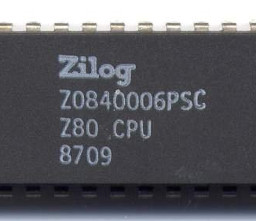
The article explains how CP/M was designed for microcomputers using the Z80 architecture.
The Architecture of CP/M Emulation
To run CP/M on Linux, the most common approach is using a Z80 emulator like z80pack. Because CP/M was designed for microcomputers with limited memory and specific hardware interfaces, the emulator must recreate the environment where the OS can boot and execute binaries.
The setup involves building the core emulator and supporting tools from source. Once functional, the system requires a disk image library to provide the necessary boot files, such as the CP/M 3 image, which allows the system to initialize and provide a command prompt.
“There is absolutely no practical reason to play Zork using a CP/M emulator.”
— Kevin Boone: Playing Zork 1 on a CP/M emulator on Linux
Managing Virtual Disks and User Areas
Unlike modern operating systems, CP/M disks do not support subdirectories. Instead, they utilize numbered 'user areas' to organize files. To run Zork 1, the binary (ZORK1.COM) and its data file (ZORK1.DAT) must be copied into the default user area (area zero) of a virtual disk image.
Users can create different types of virtual drives, such as a 4Mb hard disk image for drive I:. Tools like cpmtools are used to manage these images, allowing users to list contents and copy files between the host system and the emulated environment.
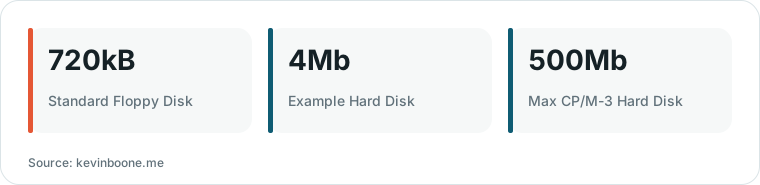
Chart drawn by HN Digest from figures reported by kevinboone.me; values are shown as written in the source.
Terminal Compatibility and Input Handling
A specific technical hurdle involves the 'backspace' key. Modern Linux terminals typically generate a DEL code (ASCII 127), but Zork 1 requires the traditional 'ctrl-h' (ASCII 8) code to erase characters. This requires configuring the terminal emulator to map the backspace key correctly.
Once the terminal is configured and the shell is updated with the `stty erase` command, the user can execute the game. The result is a functional environment where the game's text output is passed directly to the host's terminal, mimicking the experience of a vintage microcomputer.
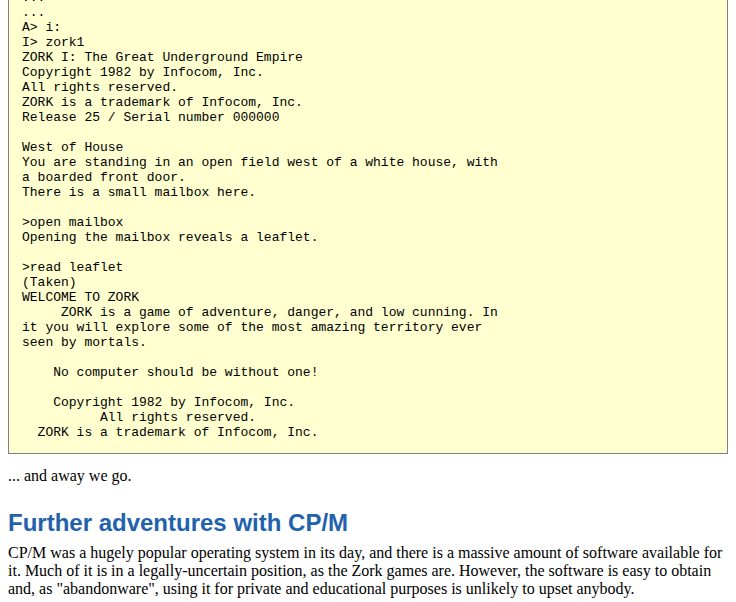
This screenshot illustrates the functional environment where the game's text output is passed to the host terminal.
Trade-offs and Modern Alternatives
The primary trade-off for this method is complexity; there is no practical reason to use a CP/M emulator for Zork specifically, as modern methods are significantly easier. The emulator is primarily used for educational purposes or to build a deeper familiarity with retro computing architecture.
Newer projects like cpmulator offer a more streamlined experience by using a Go-based emulator that interacts with the local filesystem. While this removes the need for complex virtual disk management, it may lack full disk-support for any API calls that refer to physical tracks or sectors.
What Hacker News readers are saying
- Alternative: One commenter suggested using the Frotz emulator as a way to play these types of games on Linux and BSD systems. comment ↗
- Alternative: Another user shared a Go-based CP/M emulator they developed that uses the local filesystem instead of virtual disks, offering a way to run the software via Docker. comment ↗
- Experience: One reader shared their personal experience of playing Zork on a DECSYSTEM-2060 while studying as an undergraduate. comment ↗
Summarized opinions from the Hacker News thread, not verified facts. Read the full discussion ↗