Vivaldi, an independent employee-owned European browser, has released version 8.3 for desktop and mobile. The update emphasizes a privacy-first approach, positioning itself against 'Big Tech' models that rely on harvesting user data for advertising profiles. By operating as an independent entity, Vivaldi claims it can prioritize user experience and privacy over the interests of advertisers or venture capital firms.
The centerpiece of the 8.3 release is an extensive rebuild of the built-in Ad and Tracker Blocker. The update introduces four default protection levels: Off, Light (blocking most trackers and some ads), Strong (blocking more trackers and ads, with potential for site breakage), and Aggressive (blocking almost all trackers and ads). A key mechanism of this update is the ability to set these levels on a per-site basis via a shield icon in the address bar. This allows users to, for example, use 'Aggressive' blocking on a video site to prevent ads from interrupting playback while switching to 'Light' on a banking site to ensure all forms and scripts function correctly. The blocker also supports custom levels where users can manually configure specific blocklists from remote URLs or local files.
Beyond privacy, the update introduces several UI and productivity refinements. For users of vertical tabs, the new 'Expand Tab Bar on Hover' feature keeps the tab bar slim—showing only favicons—until a cursor moves over it, at which point it smoothly expands to show full titles. Additionally, pinned tabs on a vertical bar can now be arranged in a compact grid at the top of the bar. For productivity, the 'Paste and Go' feature allows users to paste a list of URLs into the address field to open them all simultaneously in separate tabs. The update also includes 'Copy Sanitized Link,' which automatically strips tracking parameters from URLs before they are copied to the clipboard, and a faster, smoother Reader Mode for consuming text-heavy content. While these features aim to improve the browsing experience, the source material is a first-party announcement, meaning independent verification of the specific performance gains or the efficiency of the new filter list handling is not provided.
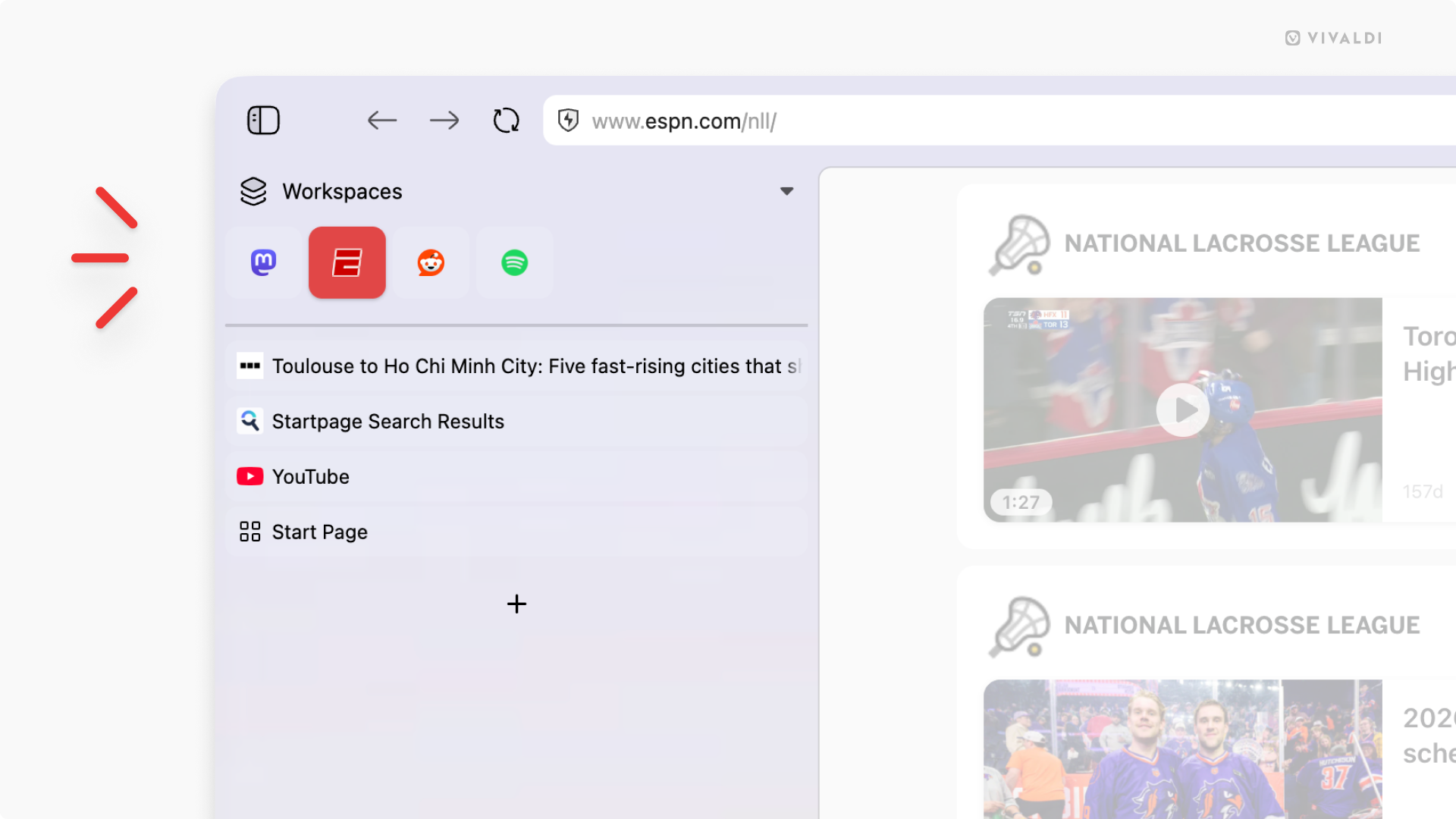
This image illustrates the new vertical tab refinements, specifically the compact grid arrangement for pinned tabs.
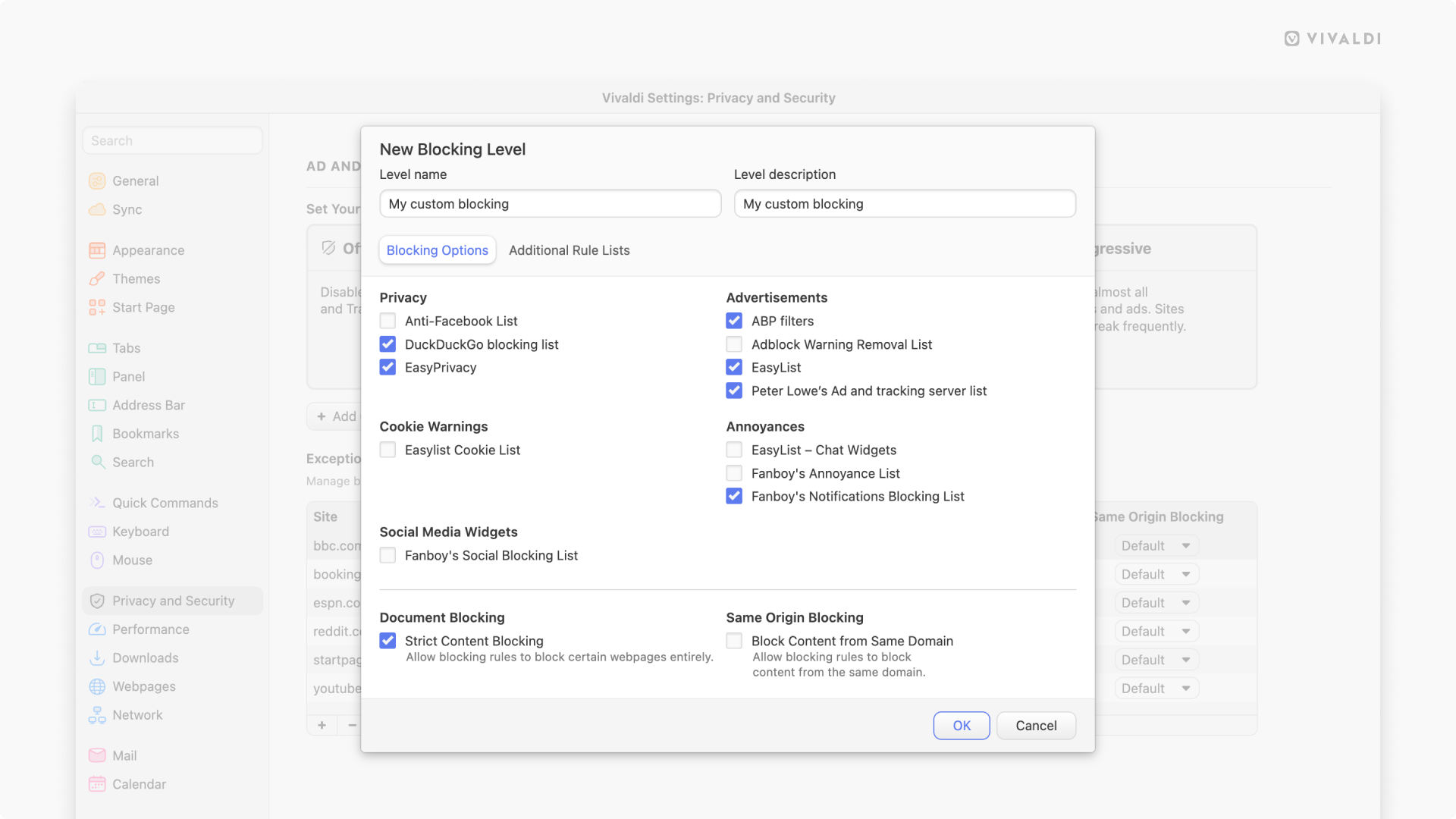
This visual supports the mention of the updated Reader Mode for consuming text-heavy content.
While the update offers significant customization, some users have noted limitations in the current experience. For instance, some reports indicate stability issues on Linux, specifically regarding the browser freezing during certain search functions. Furthermore, while the built-in blocker is a major upgrade, some users compare its capabilities to third-party extensions like uBlock Origin, which may offer different levels of filter coverage. Vivaldi's move to provide these tools natively reflects a strategy of giving users granular control over their browsing environment, though the effectiveness of these tools remains subject to the specific blocklists and configurations chosen by the individual user.