Mac.apk is an open-source project designed to bridge the gap between Android mobile software and macOS hardware by running apps directly as native processes. Unlike traditional solutions that rely on heavy virtualization—where a full operating system like Linux boots in the background to host the app—Mac.apk implements the Android application environment directly on top of macOS. This approach allows Android apps to appear as standard macOS windows in the Dock, supporting features such as window resizing, rotation, and switching between light and dark modes while executing at native CPU speeds.
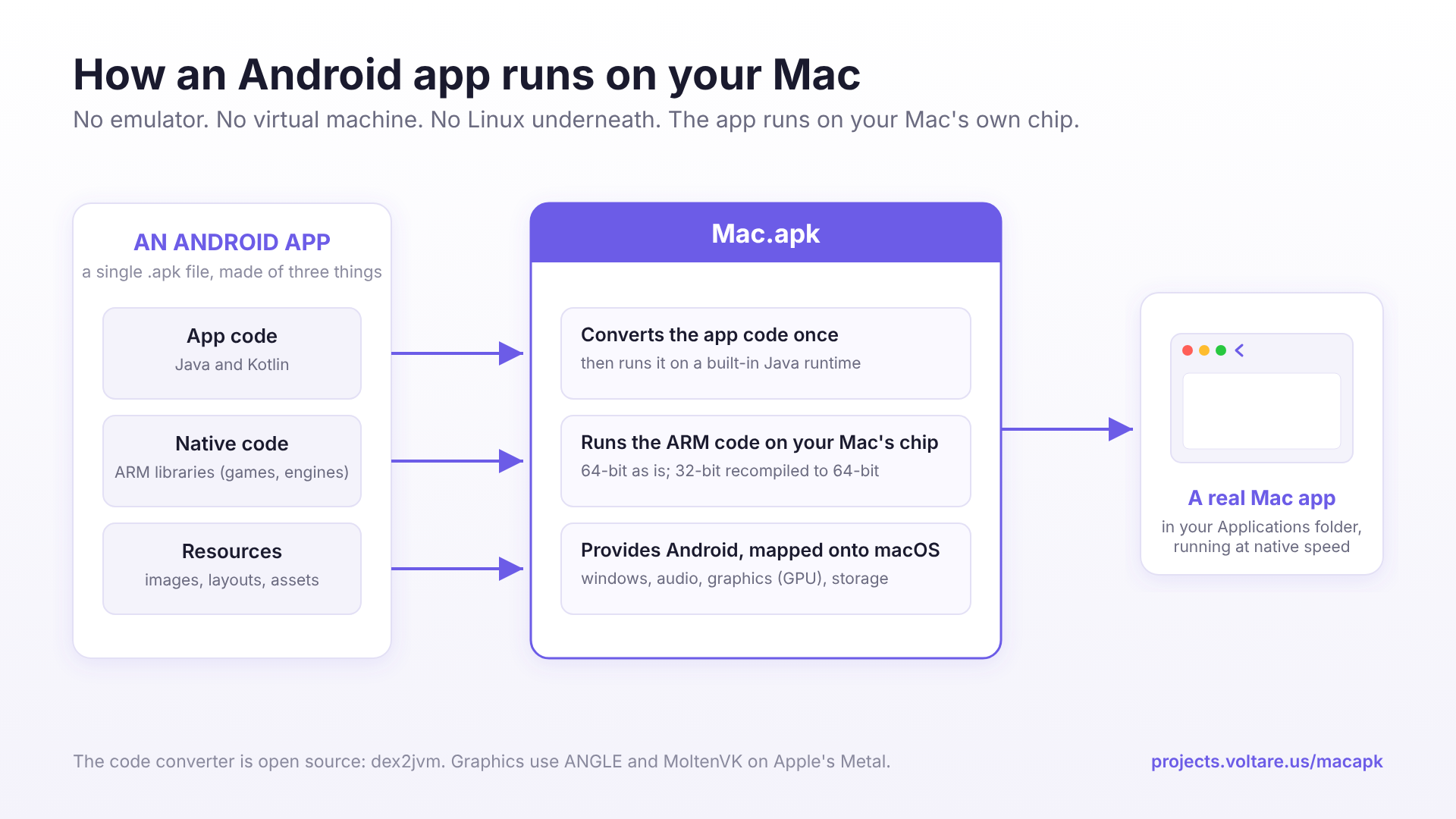
The diagram explains the underlying architecture of the project, showing how it bridges the gap between Android binaries and the macOS environment.
The underlying architecture achieves this by reimplementing key components of the Android framework for the macOS environment. The project includes several critical layers: a native runtime, an arm64 loader, a Bionic shim (a lightweight C library used in Android), and an ARM32 recompiler. Because it targets Apple Silicon, the software leverages the chip's power to execute instructions directly; however, because many existing Android binaries are still 32-bit, the inclusion of a recompiler ensures broader compatibility with older apps. Additionally, the project integrates graphics libraries like ANGLE and MoltenVK to ensure that Android apps can draw through the Mac’s GPU effectively.
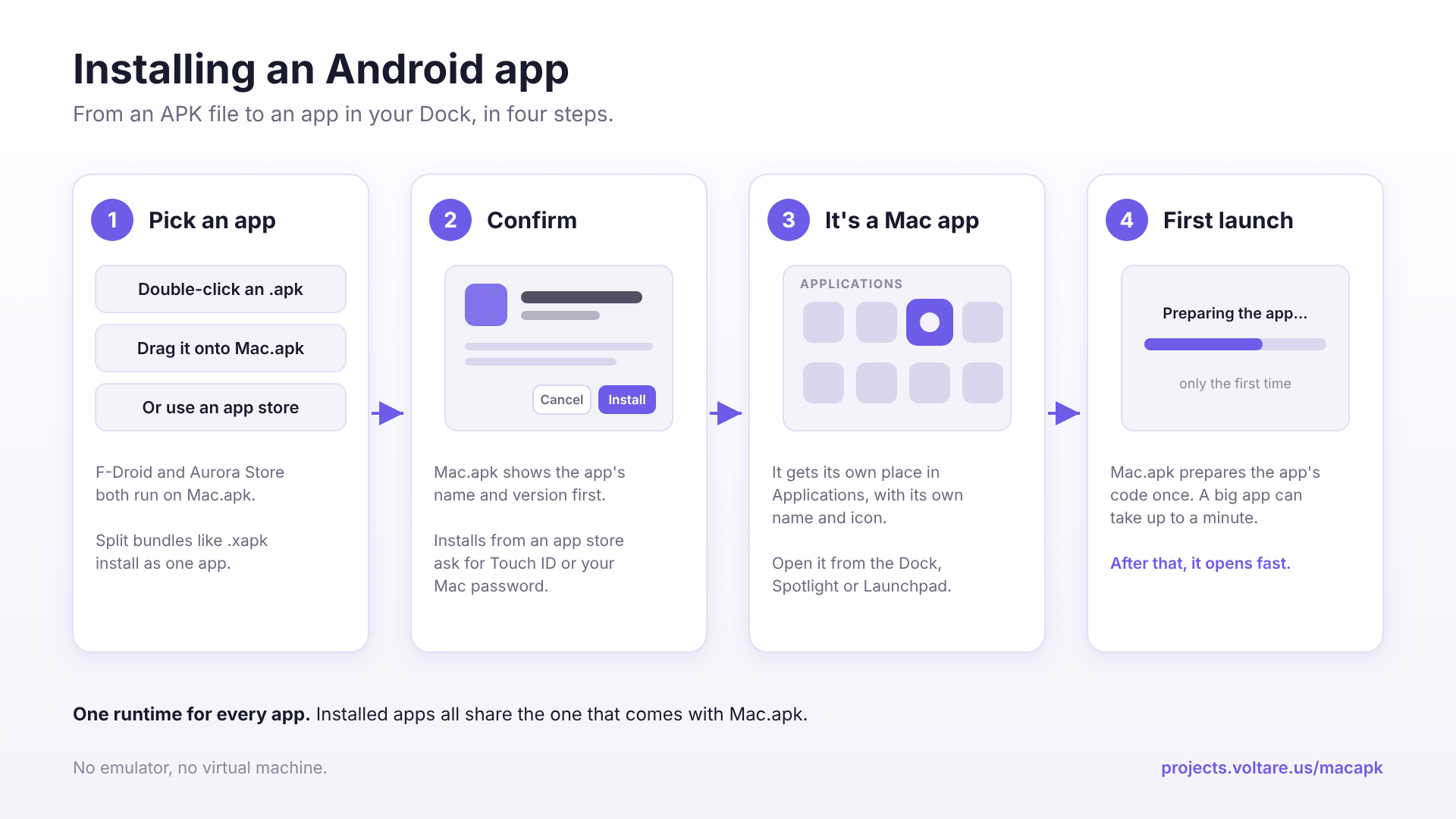
This visual supports the practical application of the project, showing how users interact with the software to run apps.
Despite its technical capabilities, users face practical limitations regarding ecosystem integration. Since Mac.apk does not include Google Play Services or provide a phone-style sandbox, some applications—particularly those heavily dependent on Google's proprietary backend—may function poorly or not at all. Furthermore, security remains a primary consideration: unlike mobile devices where apps are often sandboxed from the system files, any app running via Mac.apk operates with the same permissions as a standard macOS application. This means an APK has the ability to read and write to the user's file system just like any other desktop program, requiring users to only install trusted sources.