Google has implemented a background mechanism that automatically verifies and attaches a user's phone number to every Google account signed into an Android device. According to reports, this behavior is an opt-out feature, meaning it is enabled by default. While Google's support documentation has long stated that it periodically re-verifies device numbers to maintain communication and recovery features, recent updates to the documentation between August and October 2025 explicitly confirm this aggressive linking across all active profiles on a single device.
The mechanism functions by identifying the active phone number(s) on an Android device and associating them with all logged-in accounts, including secondary profiles, work accounts, and throwaway handles. This integration is intended to facilitate features such as Rich Communications Services (RCS) messaging, video calls, and emergency location services. However, the automatic nature of this linking means that users who intentionally keep their primary SIM card separate from secondary or work accounts may find their data profiles merged without explicit confirmation prompts.
Users can manage this behavior through their device's Google settings. By navigating to the 'Google' section under 'All Services' and locating 'Phone number verification,' users can toggle off 'Verify phone numbers automatically' to prevent future linking. It is important to note that disabling this toggle only stops future associations; any phone numbers already linked to secondary accounts must be manually removed from the 'Personal Info' page of each individual Google account. Some users have reported instances where the toggle appears to re-enable itself, though these reports have not been consistently replicated in testing. This change poses a specific challenge for corporate environments where policies may strictly forbid the linking of personal phone numbers to professional accounts for security and privacy reasons.
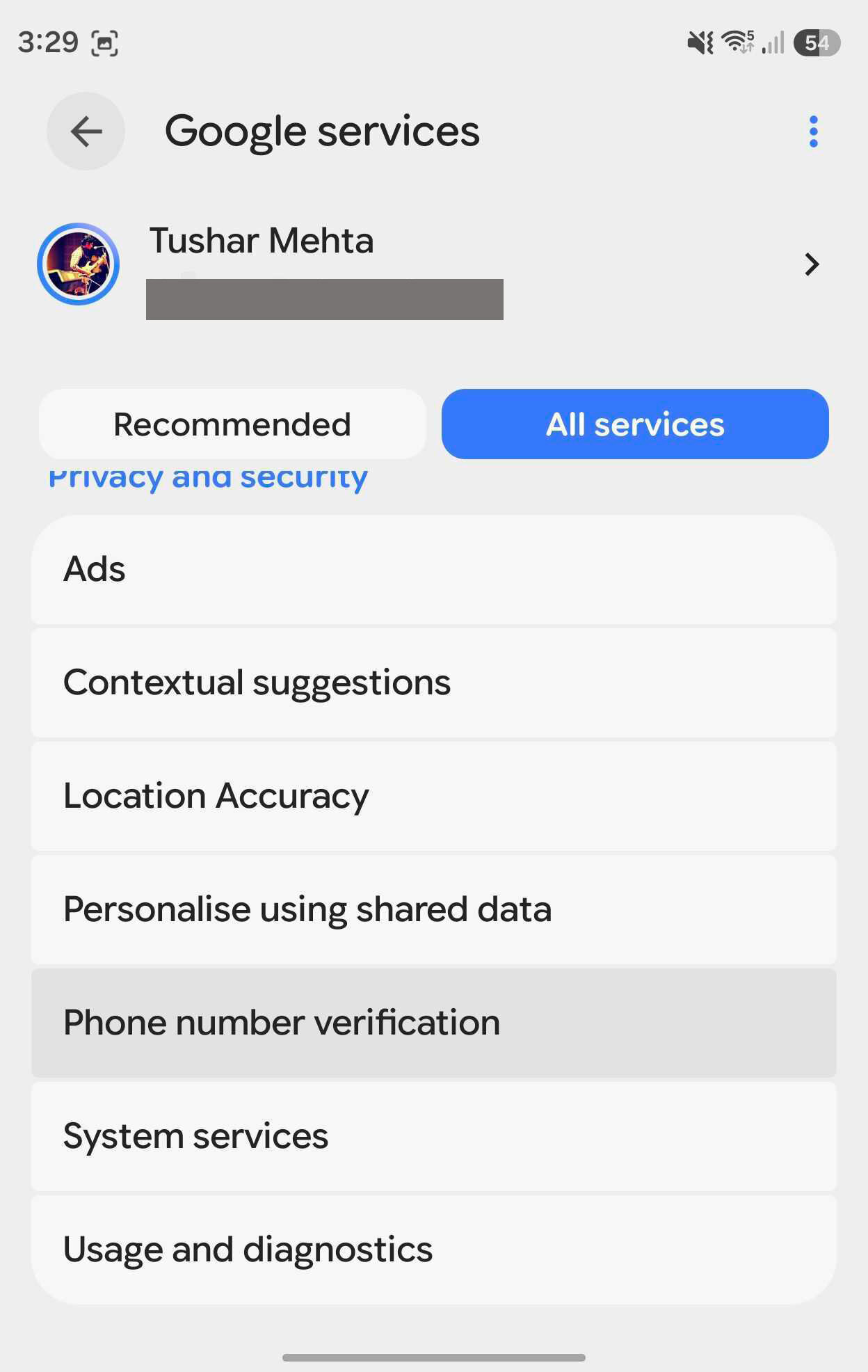
This image illustrates the specific setting mentioned in the article that users can navigate to in order to opt out of automatic phone number linking.
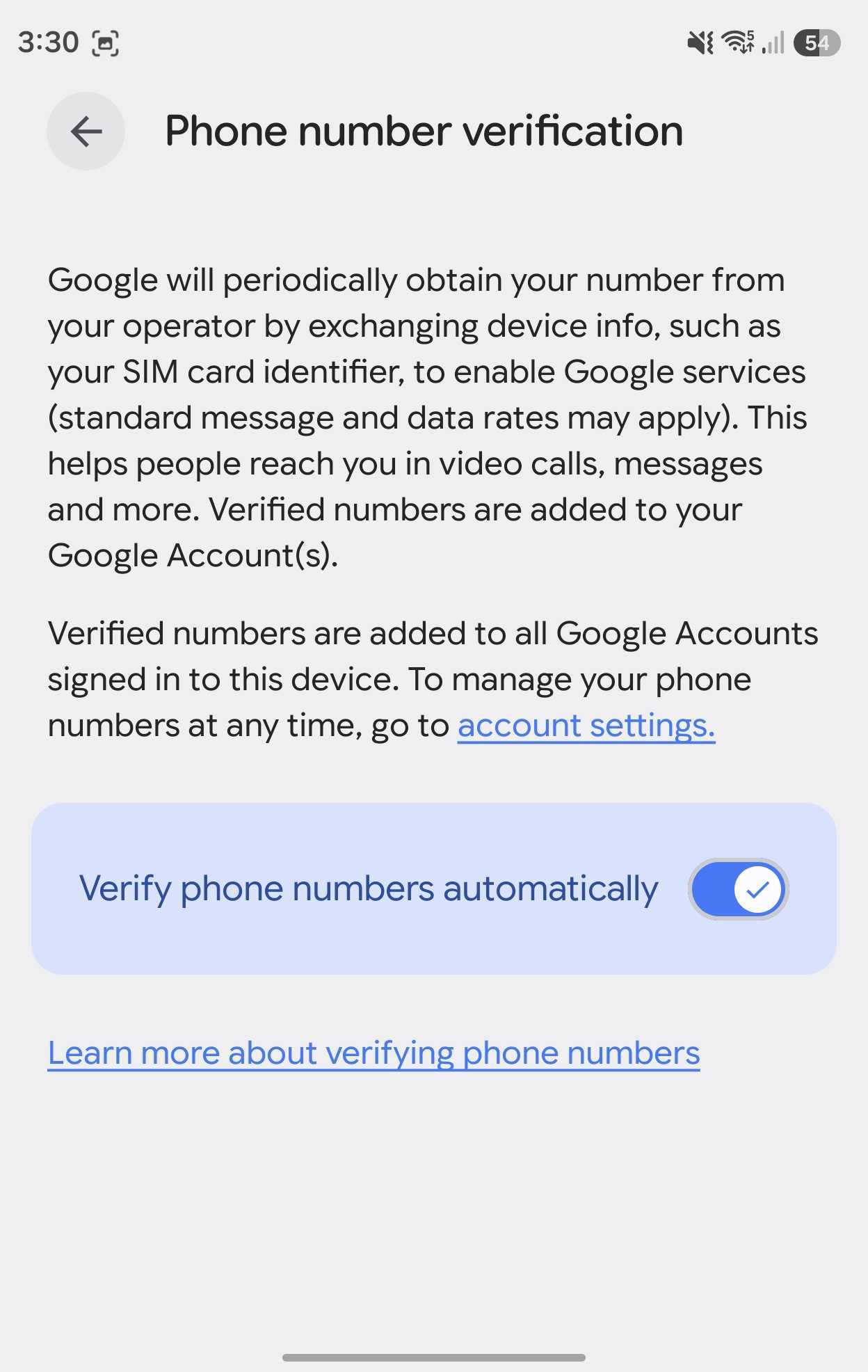
This visual supports the explanation that disabling the automatic toggle does not remove existing links, requiring manual intervention in the Personal Info section.
While the feature is designed to improve service reliability and security, it creates a privacy trade-off for users seeking to maintain distinct identities across different accounts. Because the phone number acts as a primary identifier, its automatic distribution across multiple profiles can deanonymize users who rely on account segregation. For those who have already been affected, the manual removal process remains the only way to decouple a number from an account where it was automatically attached by the system.
Evidence: - Google automatically verifies and attaches phone numbers to every account signed in on an Android device (primary). - The 'Verify phone numbers automatically' setting is an opt-out feature, meaning it is enabled by default (primary). - Turning off the verification toggle only prevents future linking; existing links must be manually removed from the Personal Info page (primary). - Google's support documentation was updated in late 2025 to reflect this specific behavior (primary). - Phone number verification facilitates features like RCS, emergency location services, and Quick Share (support-1).