Agent37, a Y Combinator F26 batch company operating under the name ASCII, has launched Boat, a cloud sandbox service marketed as the cheapest and most powerful option for running AI agents. Each Boat sandbox is a persistent Ubuntu virtual machine accessible through SSH and SCP, assigned a dedicated IPv4 or IPv6 address, and equipped with a hardware‑accelerated 60 fps virtual desktop. The environments come pre‑configured with a full suite of development tools including Docker, VS Code, Chrome, the Ghostty terminal, GitHub CLI, Rust, Node.js, and Bun, allowing developers and agents to start work immediately without additional setup. Boat also highlights that sandboxes are full Ubuntu machines, so any devtool, language, or workflow can be run, and Docker operates inside the VM.
Users interact with Boat primarily through its CLI: the command `boat new` provisions a fresh sandbox, `boat ssh` and `boat scp` provide shell access and file transfer, while `boat prompt` lets users run agent frameworks such as Claude Code or Codex inside the VM. Environments can be duplicated instantly with `boat fork`, which creates a snapshot‑based clone, and billing can be paused with `boat stop` (which snapshots the machine) and resumed later with `boat resume`. Boat’s pricing is usage‑based with a $20 monthly minimum that translates to 2,000,000 VM‑seconds—approximately 555 hours at the default 4 vCPU/8 GB configuration—and includes a 7‑day free trial offering 25 compute hours. Sandboxes are currently deployed in EU regions (Germany, Finland, France) and carry a default one‑hour time‑to‑live that users can extend as needed. The CLI also accepts `--json` for stable JSONL output when a shell integration is the fastest path.
This image visualizes the concept of AI agents running within Boat's isolated sandbox, as described in the article’s overview of the service and its CLI usage for running agent frameworks.
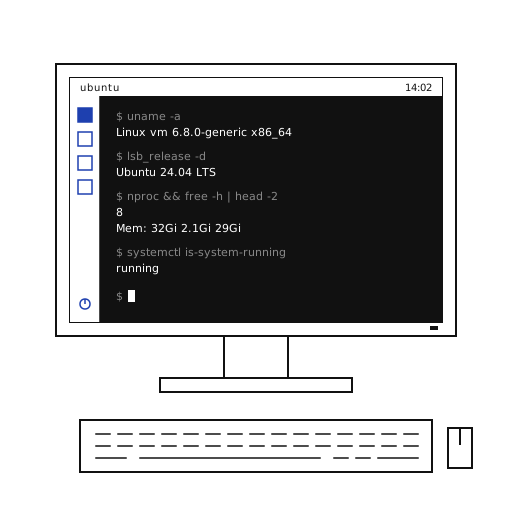
This image illustrates the Boat sandbox’s persistent Ubuntu virtual machine setup, matching the article’s description of each sandbox being a full VM with dedicated IP and hardware‑accelerated desktop.
This image depicts the hardware‑accelerated 60 fps virtual desktop and Chrome browser included in Boat environments, as noted in the article’s feature list.
In broader terms, an agent sandbox is an isolated environment where coding agents can safely execute commands, install dependencies, browse the web, and modify files without impacting the host system or other workloads. Overviews of the sandbox landscape categorize offerings from lightweight container‑based isolations to full virtual machines, noting that the core value lies in providing each agent with a disposable computer that can live in the cloud, on‑premises, or locally while guaranteeing that nothing escapes the boundary. Isolation technologies described include microVMs (Firecracker, Cloud Hypervisor), Kata Containers, gVisor, full KVM VMs, libkrun, OCI containers, V8 isolates, and browser sandboxes.
Despite its feature set, Boat faces certain constraints: its availability is limited to the European Union data centers, and the default sandbox TTL of one hour requires users to rely on snapshots for longer‑running tasks. The market already includes numerous sandbox providers—ranging from open‑source projects and self‑hosted tools to platform‑native services offered by major cloud vendors—so Boat’s low‑price positioning will be tested against competitors that can subsidize sandboxes to lock users into higher‑margin products. Boat’s documentation notes that files, installed packages, and enabled systemd services survive stop/resume, while hand‑run processes need restarting.
This image shows AWS Lambda MicroVMs, representing the microVM isolation technology mentioned in the article’s overview of sandbox landscape options.