Diffle is a terminal-installed tool that launches a browser interface for reviewing Git differences. It can be installed via package managers like pixi (`pixi global install diffle`) or npm (`npm install -g @moritzwilksch/diffle`), or as a standalone binary for Linux, macOS, and Windows. Once installed, commands such as `diffle working` (HEAD vs worktree), `diffle pr <number>` (GitHub pull request), or `diffle show <commit>` open a diff view in the browser, presenting commits above discussion threads for easy context switching.], [
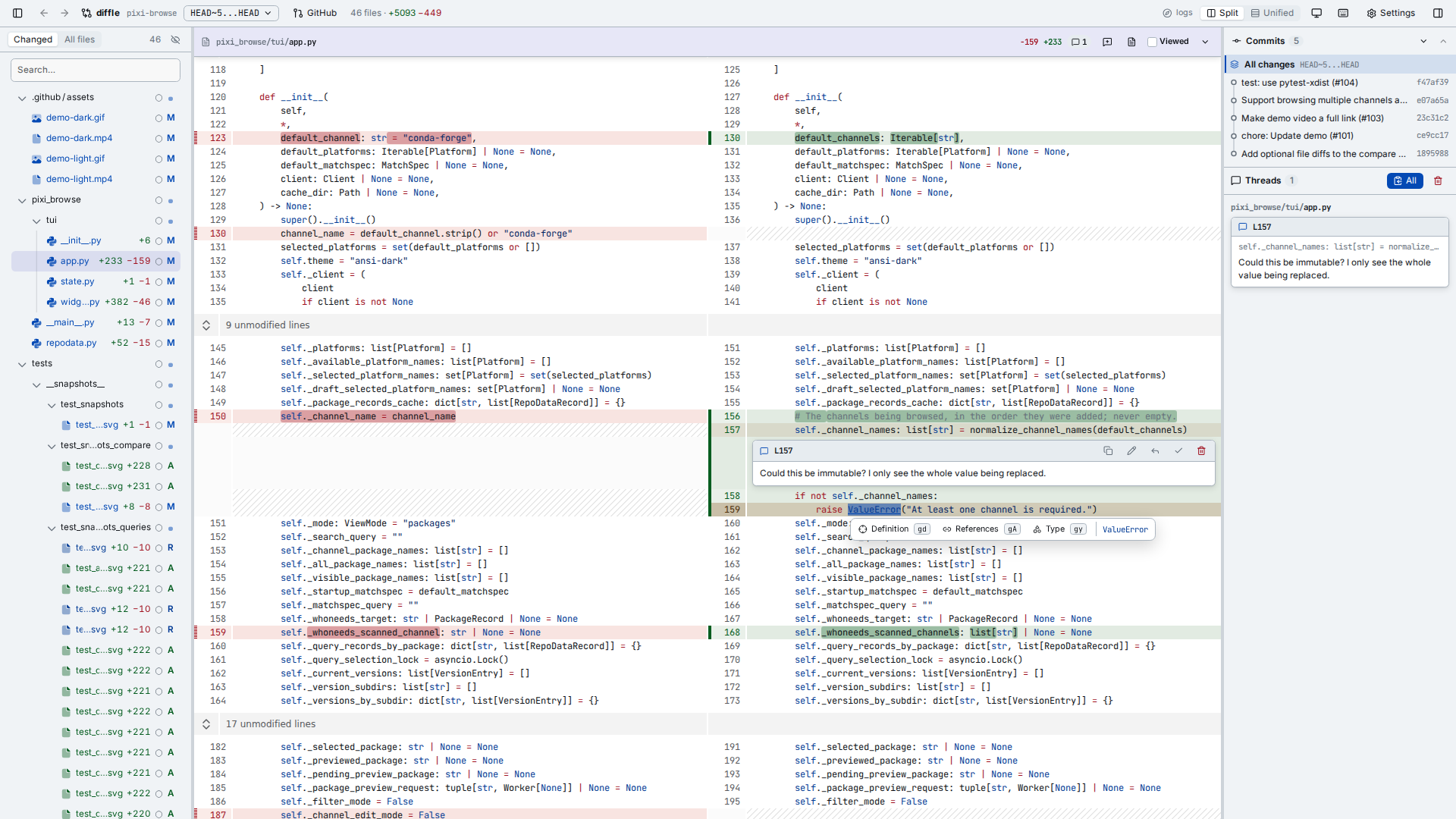
This image shows the diff view that opens when running commands like `diffle working` or `diffle pr <number>`, as described in the installation and usage section.
Diffle’s core interaction is keyboard‑centric: `j` and `k` move between lines, `J` and `K` jump to the next or previous file, and `]`/`[` navigate hunks. Users can comment on the current line with `c`, on the whole file with `C`, or on a visually selected block with `V`. Additional shortcuts include `/` to search within a file, `g/` to search all changed files, `F` to open the full file, and `yy` to copy all collected comments. These bindings allow rapid navigation and annotation without touching the mouse.], [
Beyond navigation, Diffle integrates Language Server Protocol (LSP) support to provide deep code understanding during review. When a language server for a language is found on the system `PATH`, Diffle enables `gd` or Ctrl/Cmd+click to jump to definitions, `gy` for type definitions, `gA` to find references, and `gs`/`gS` to browse file or repository symbols. The `gh` shortcut shows hover information, including schema docs for JSON, YAML, and TOML, while `w`, `b`, `0`, and `$` step through a line’s symbols. Users can override or disable specific language servers via `diffle config set-lsp` or `--no-lsp` to manage performance in large repositories.], [
Diffle’s GitHub integration lets reviewers accumulate comments in the interface and then export them as a pending pull‑request review. Clicking the pull‑request icon adds all open threads to a GitHub PR review; Diffle does not submit the comments directly, so users can edit, drop, or finalize them in GitHub’s UI. Comments are stored in `<git-dir>/diffle/` and never touch the working tree, going stale once the underlying code leaves the diff. Export works only when the comparison matches the PR’s committed diff, requiring a GitHub token taken from `GITHUB_TOKEN`, `GH_TOKEN`, or a signed‑in `gh` CLI.