REA (Reverse Engineering for Agents) is a middleware tool that equips coding agents with the ability to inspect and explain how software works. As stated on the project's website, 'REA gives your agent the tools to inspect a program and explain what it does,' with the objective of understanding features well enough to explain, change, or rebuild them. The tool supports analysis across multiple domains including native binaries, JavaScript/Electron applications, and websites, as detailed in its GitHub repository which describes it as 'One MCP for reverse engineering across binaries, applications, and runtime behavior.'
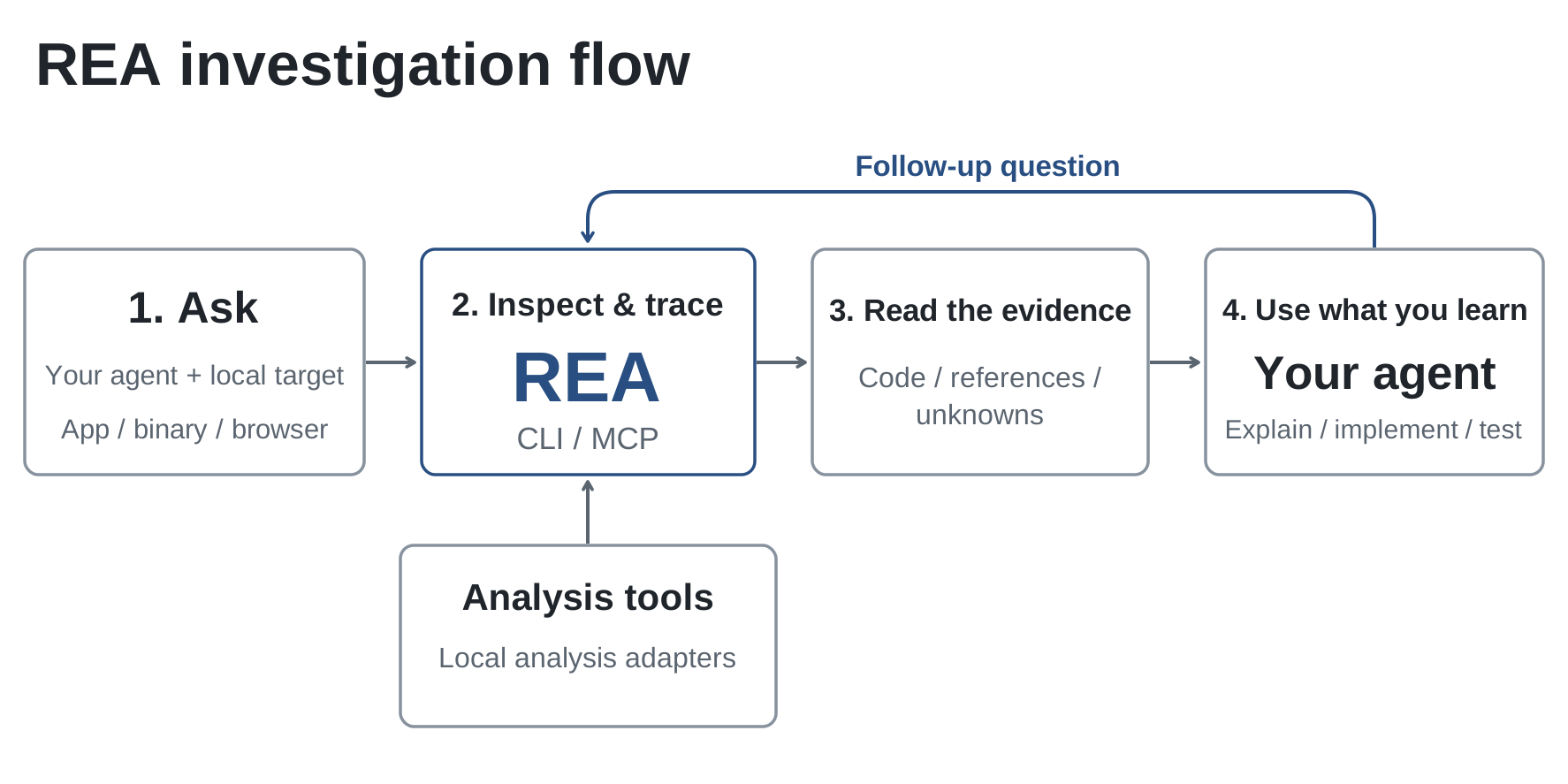
This diagram illustrates how REA operates through a model-context protocol connection, enabling agents to inspect software and receive evidence-based findings about its behavior
REA operates through a model-context protocol connection where agents make plain-language requests and receive evidence-based findings. When investigating why Windows Calculator returns 220 for 200 + 10%, REA examined the Calculator DLL and showed that the percentage handler branches on the current operation: for multiplication or division it treats the percent value as a simple fraction (current / 100), whereas for addition or subtraction it computes a percentage of the first operand (current × previous / 100). This explains the result: 10% of 200 equals 20, so 200 + 20 = 220. In another case, REA inspected a Chromium-based dinosaur game and extracted the update logic `if (this.currentSpeed < this.config.MAX_SPEED) { this.currentSpeed += this.config.ACCELERATION; }`, revealing the game starts at 6 units and accelerates by 0.001 each frame until capping at 13, which allowed the agent to rebuild a matching replica with adjustable speed.
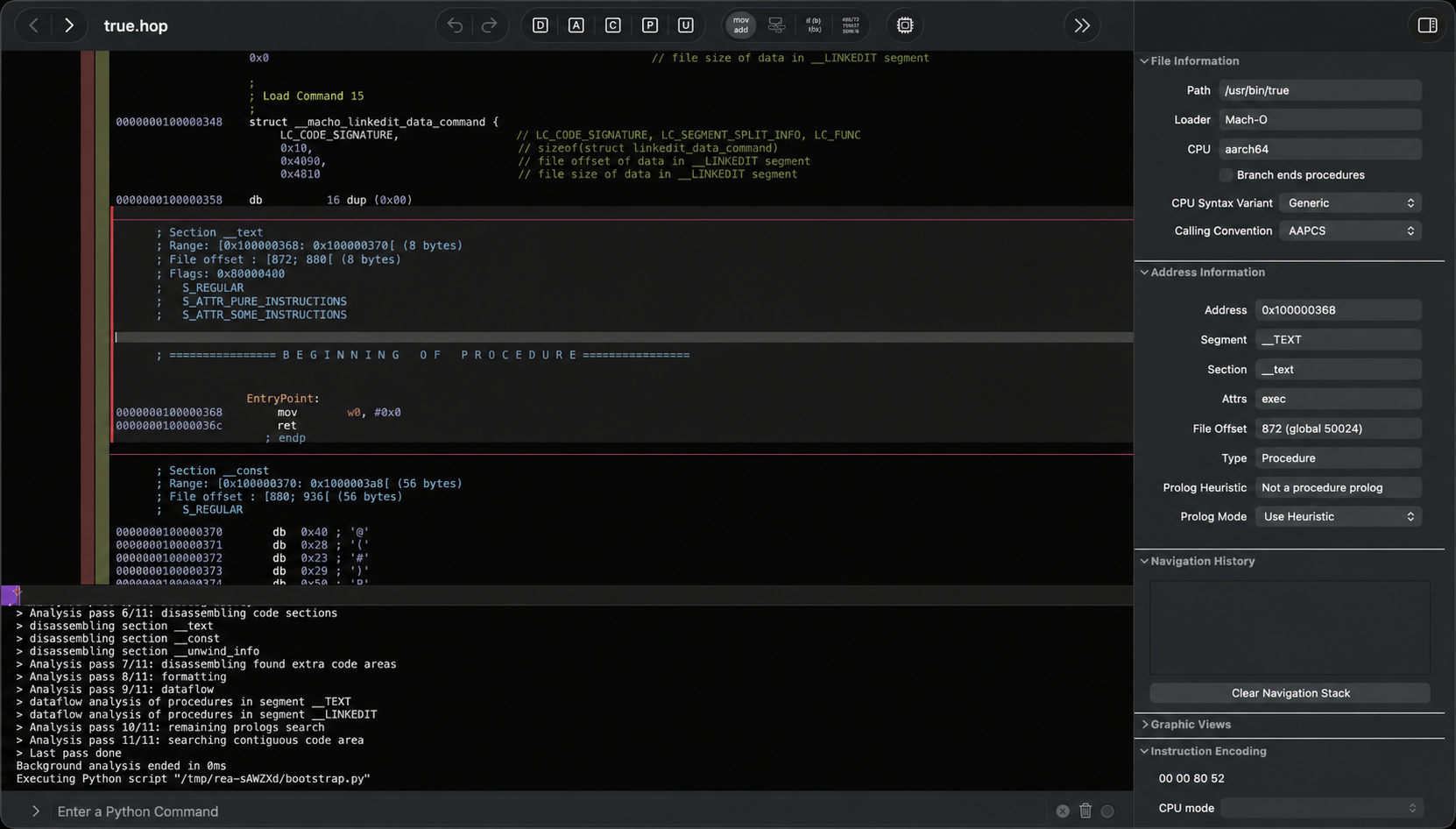
This image shows REA's technical implementation where it integrates with reverse engineering tools like Hopper to analyze native binaries, similar to how it examined the Windows Calculator DLL
To activate REA, agents run `npx rea-agents setup` which registers the MCP server and installs any required analysis backends after user approval. The setup supports various agents including Claude Code, Codex, Cursor, Gemini CLI, and Grok Build. Once configured, agents can investigate any target by asking natural language questions, with REA returning not only code snippets but also the evidence behind conclusions such as specific assembly instructions, function traces, and constant values. This evidence-based approach allows agents to verify their understanding and build accurate reconstructions, representing a significant advancement in how AI agents can interact with and learn from existing software without requiring access to source code.

These showcases illustrate real-world examples of REA's capabilities, similar to the Windows Calculator and dinosaur game examples described in the article