MXC was announced at Microsoft Build 2026 on June 2, 2026, as a sandboxed code execution system intended to run untrusted code—including AI model outputs, plugins, and developer tools—while preventing access to the host’s filesystem, network, clipboard, and other resources. The system targets developers who need to safely execute code generated by AI agents or third‑party extensions within productivity applications and agent frameworks [primary].
The MXC architecture consists of four layers: an application layer supplying a command‑line tool (wxc‑exec.exe) and a TypeScript SDK; a core layer that manages JSON‑based policies and orchestrates the lifecycle (deploy→start→execute→stop→teardown); an isolation backend layer offering platform‑specific containment options; and the execution environment (the sandbox) that enforces the policy on filesystem, network, UI, and clipboard access. On Windows the default backend is ProcessContainer with alternatives such as Windows Sandbox, WSL containers, MicroVM, HyperLight, and isolation_session; on Linux the default is Bubblewrap with LXC, MicroVM, and HyperLight available; on macOS the Seatbelt technology is used. Developers declare which files, network endpoints, and UI features the sandbox may access via a JSON configuration file [primary].
This image illustrates the four-layer MXC architecture described in the article, showing how policies drive isolation across application, core, backend, and execution environment layers.
Unlike traditional container technologies that share the host operating system kernel through namespaces and cgroups, MXC can employ backends that provide complete kernel isolation (e.g., MicroVM or full VMs), which mitigates the risk of container‑escape vulnerabilities where malicious code breaches the sandbox to gain host‑level privileges. This distinction is highlighted in community hands‑on notes that contrast MXC’s flexible backend selection with the shared‑kernel model of Docker‑style containers [support-2].
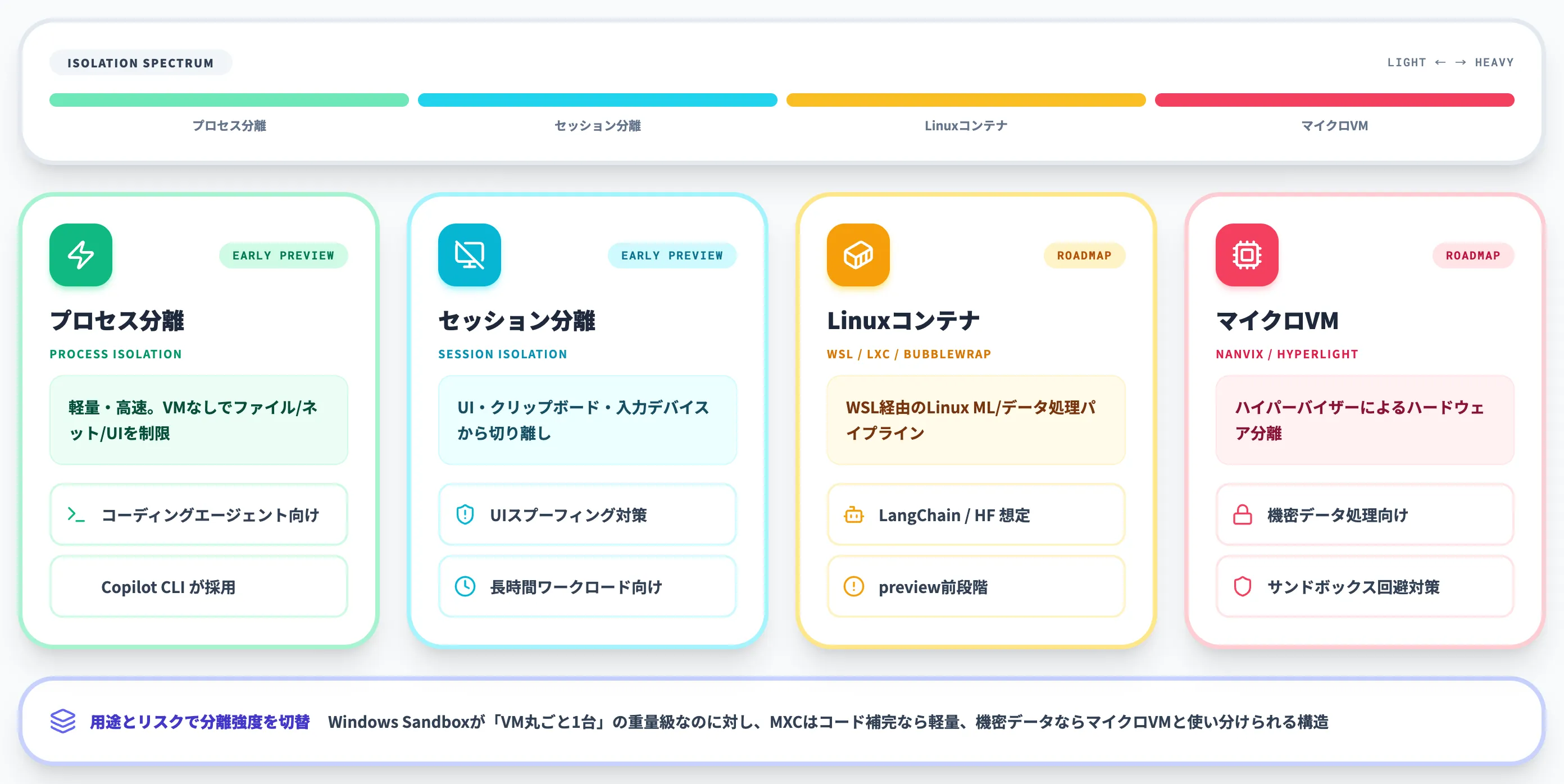
This image depicts the composable sandbox spectrum that MXC offers, highlighting the isolation options mentioned in the article such as ProcessContainer, Windows Sandbox, WSL, MicroVM, HyperLight, Bubblewrap, LXC, and Seatbelt.
Microsoft positions MXC as an early‑preview technology, noting that generated policies may occasionally be overly permissive and that the specification remains subject to change. The company plans to integrate MXC with its Agent 365 suite (Defender, Entra, Intune, Purview) to extend protections to agents, and to enable partner projects such as OpenClaw’s Windows nodes and gateways and NVIDIA’s OpenShell for autonomous agents to run inside MXC sandboxes. However, for critical security designs at this stage, Microsoft advises against relying solely on MXC without additional safeguards [primary].

This image visualizes the integration of MXC with Microsoft's Agent 365 suite (Defender, Entra, Intune, Purview) as mentioned in the article.
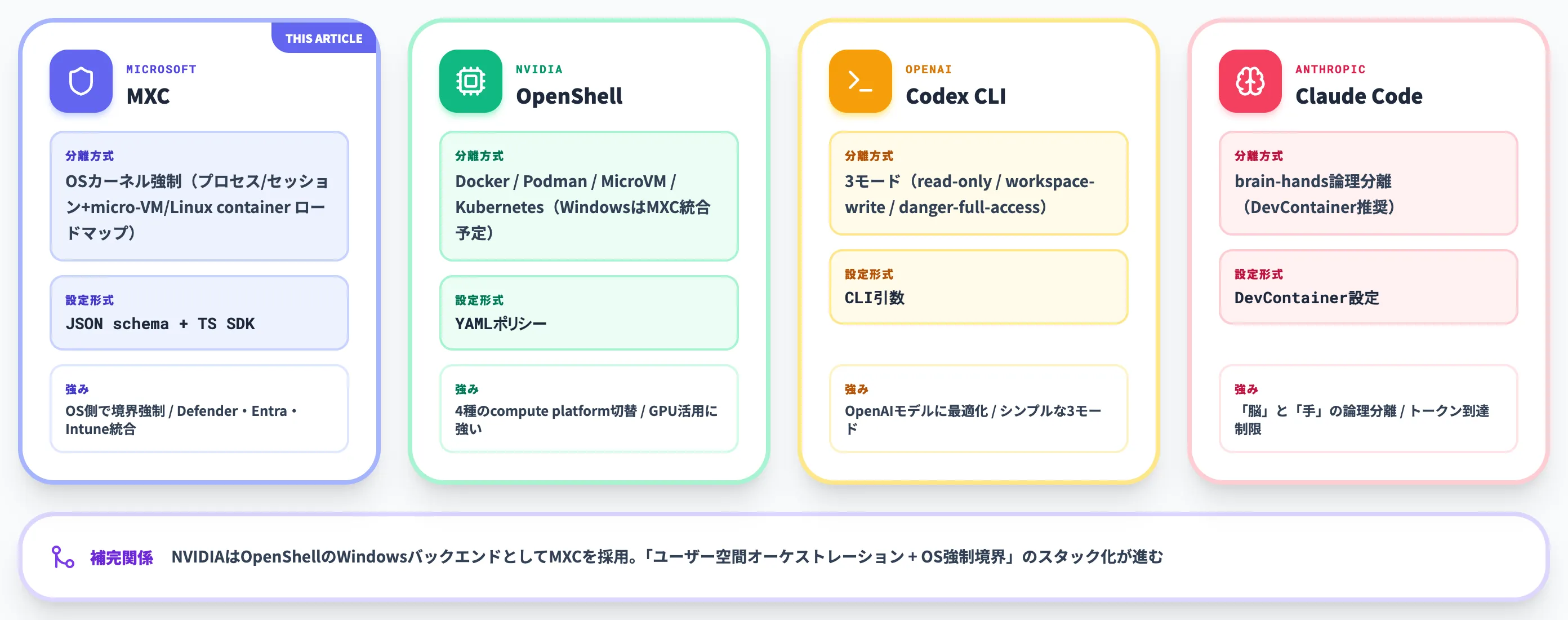
This image shows a comparison of NVIDIA OpenShell with Codex CLI and Claude Code, relevant to the article's mention of NVIDIA’s OpenShell for autonomous agents running inside MXC sandboxes.