BigArrow is a small Swift binary that provides a CLI for AI agents to overlay click-through arrows, boxes, and text on the macOS screen. According to its GitHub README, the tool operates without daemons, menu-bar icons, or telemetry and automatically removes overlays when the agent’s process ends, ensuring it never steals keyboard focus.
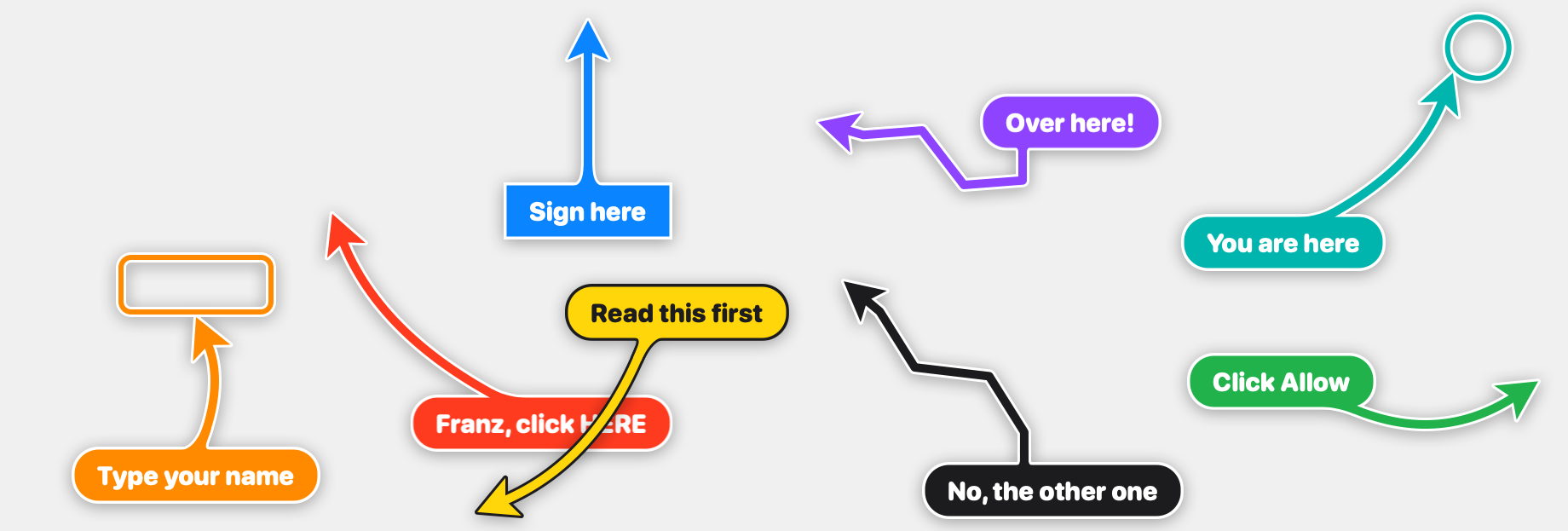
Illustrates how BigArrow can overlay arrows with customizable text to guide users toward specific actions on the screen.
The software supports several targeting methods: agents can point at interface elements by accessibility label (e.g., `bigarrow point --element Allow --app System Settings`), by screen coordinates (`--at X,Y`), or by window/tab title (`--window Safari:Inbox`). It also offers extensive styling options including shape (straight, zigzag, spiral), style (arrow, ring, box), size (S/M/L), colors, and border effects, with an optional `--say` flag to speak the label aloud.
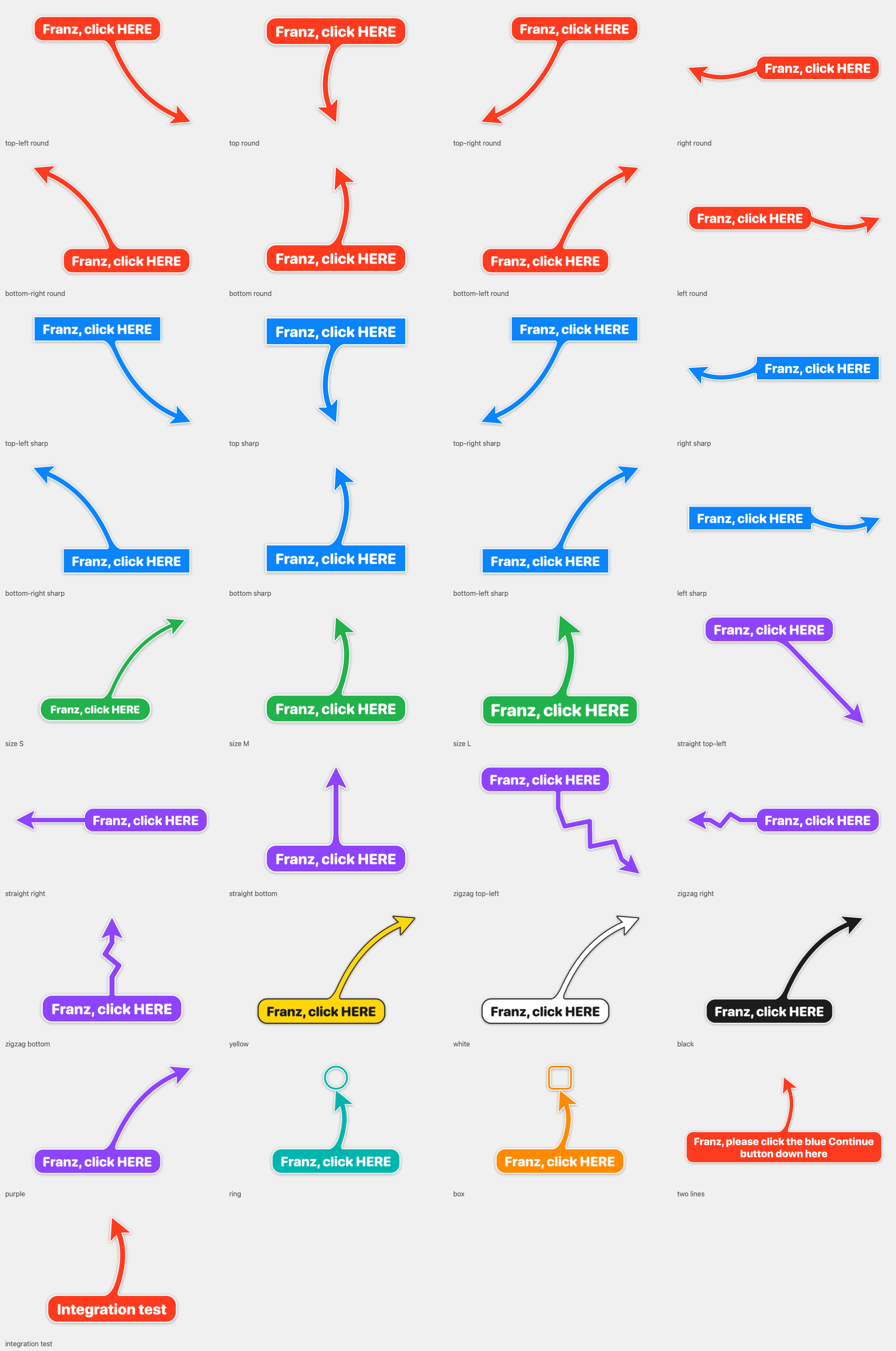
Shows the extensive customization options for BigArrow overlays including straight/zigzag/spiral shapes, arrow/ring/box styles, S/M/L sizes, and multiple color choices.
While BigArrow works for most macOS UI elements, it requires Accessibility permission for label-based targeting and `--until-click` features, and it cannot interact with Chrome web page elements unless Chrome is launched with `--force-renderer-accessibility` or VoiceOver is enabled. The tool deliberately does not click or type; it only points, leaving the actual interaction to the human user.
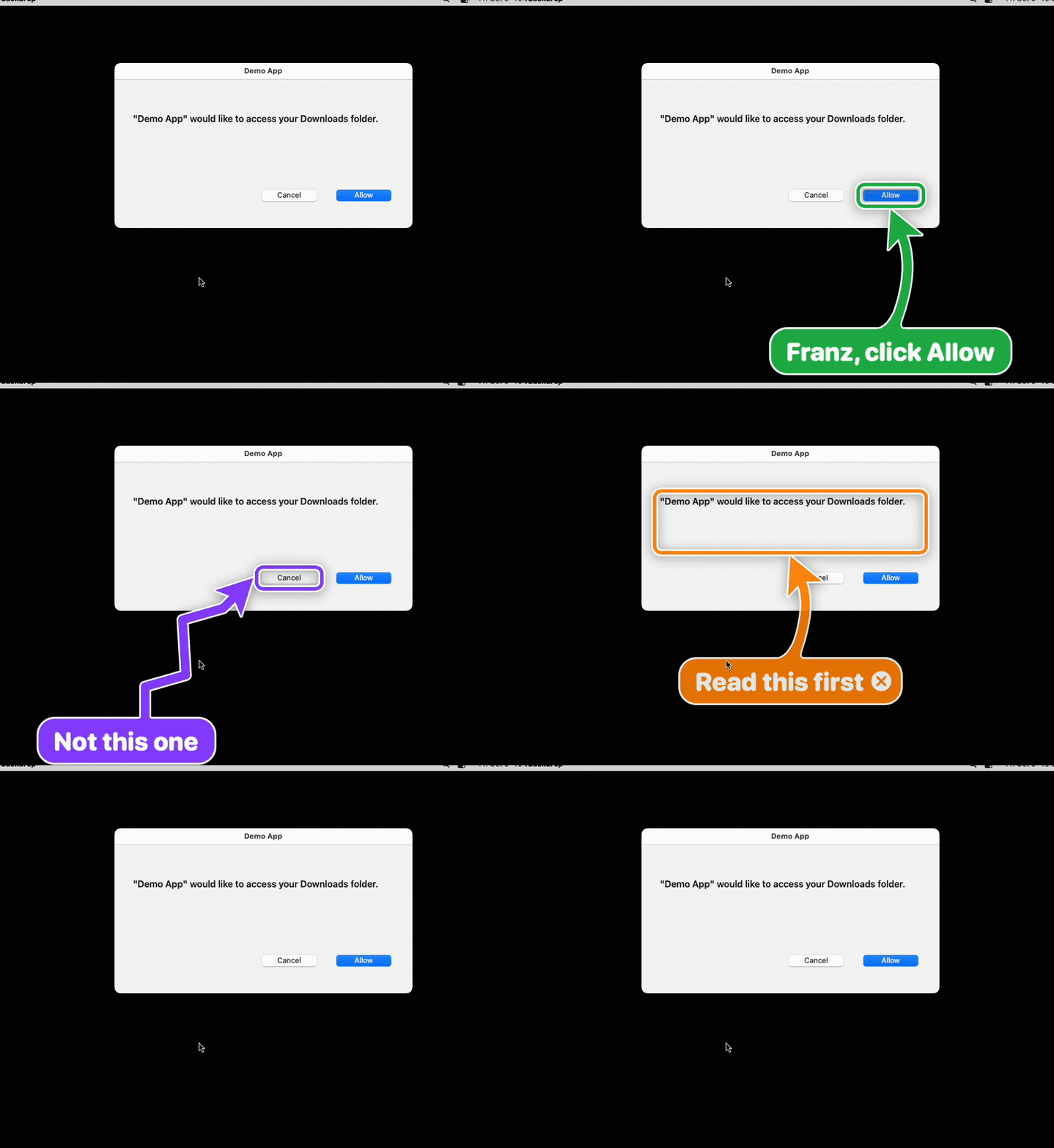
Demonstrates the tool's ability to highlight macOS interface elements such as dialog buttons for user interaction, requiring Accessibility permission.