Bevy 0.20 marks the latest release of the open-source game engine written in Rust, bringing a suite of features aimed at improving rendering fidelity, developer experience, and tooling. The update touches on the engine's real-time pathtraced renderer Solari, its scene system BSN, the Feathers UI toolkit, shader language support, and various other components, reflecting ongoing work by the engine's contributors.
The Solari renderer sees notable advancements in both image quality and performance. Thanks to improvements in the ReSTIR implementation, rendering is now mostly unbiased, resulting in more accurate lighting, elimination of lagging shadows on moving objects, and less shimmery reflections on non-metallic materials. Performance gains come from making ReSTIR optional (disabled by default) and optimizing Solari's scene management code, which retains similarities to retained render world optimizations from earlier versions, leading to significantly reduced CPU costs. Users can fine-tune behavior via new fields in SolariLighting, such as world cache size, per-pixel light sample count, temporal accumulation, and path tracing bounce count. Compatibility expands to include lighting from Atmosphere and EnvironmentMapLight sources on cameras, alongside existing DirectionalLight and emissive mesh support, with plans to add PointLight, SpotLight, and RectLight in the future. Additionally, the dlss_wgpu crate has been updated to support the latest DLSS-RR 4.5, enhancing denoising quality, though macOS users currently lack a built-in denoiser for Solari, with MetalFX Ray Reconstruction suggested as a potential future solution.

This image illustrates the advancements in Bevy 0.20's Solari renderer, specifically the improvements in image quality and performance via ReSTIR optimization discussed in the second paragraph.
In the realm of scene composition, BSN syntax has been refined to improve ergonomics and clarity. Scene references now require an @ prefix, eliminating the need for template_value wrappers around component values, functions, and expressions. Enums that implement Default and Clone can be used directly without VariantDefaults or FromTemplate, although this change means every enum field must be explicitly specified when used in BSN. The builder pattern and chained methods no longer require template_value wrappers, and list entities are separated using -- instead of commas or parentheses, reducing syntax noise and improving visual distinctiveness. The new Ready event triggers after an entity and all its children have been spawned, enabling logic that depends on a fully loaded scene hierarchy.
Beyond scene syntax, Bevy 0.20 expands the Feathers UI toolkit with a color input selector featuring a popup color wheel and sliders, a scrollable selectable list view, a dropdown selection field, a lazy menu that spawns and despawns with interaction, and a number input widget that supports both text input and scrubbing/dragging with configurable hard and soft limits. Headless tab widgets provide TabList and Tab components for externally managed selections, integrating with Bevy's focus, interaction, and accessibility systems.
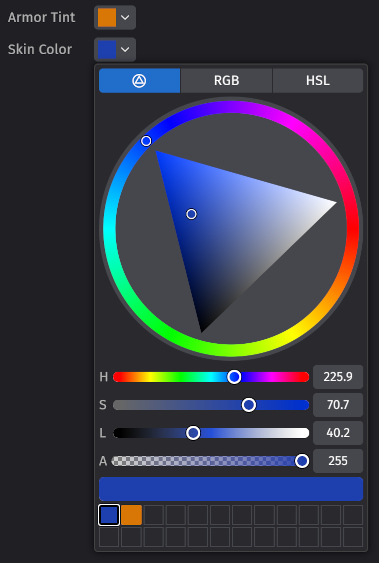
This image depicts the color input widget added to the Feathers UI toolkit in Bevy 0.20, which includes a popup color wheel and sliders as described in the fourth paragraph.
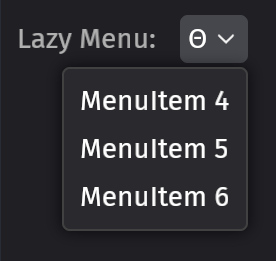
This image illustrates the lazy menu widget introduced in Bevy 0.20's Feathers UI toolkit, which spawns and despawns with user interaction as mentioned in the fourth paragraph.
The engine also adopts WESL, a standardized extension of WGSL, for shader development, bringing modules, imports, and conditional compilation, and enabling IDE tooling via wgsl-analyzer, while requiring translation of legacy custom Bevy WGSL shaders to WESL format.
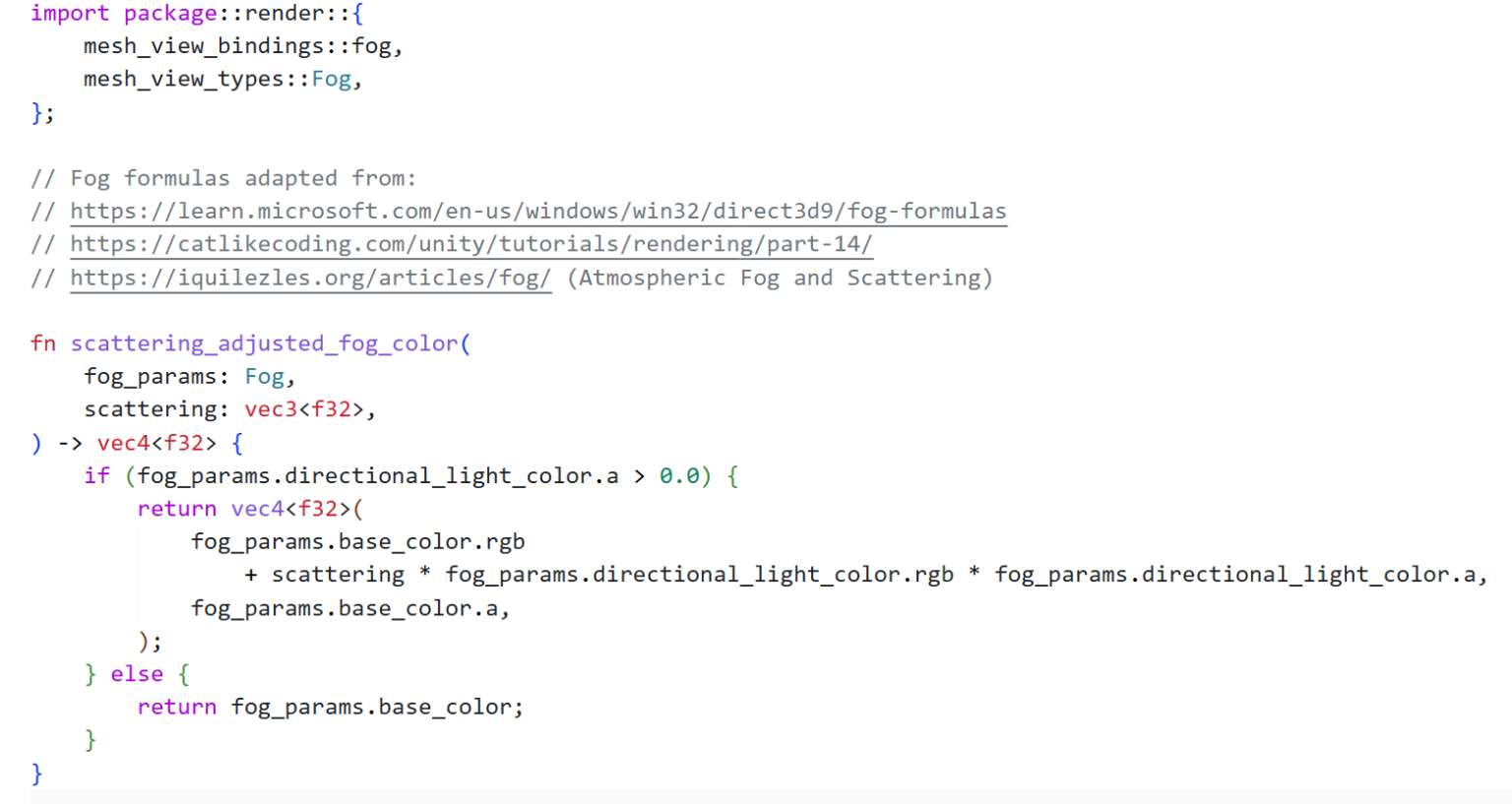
This image shows the WESL extension of WGSL being used for a fog shader, highlighting the new modules, imports, and conditional compilation features that Bevy 0.20 adopts for shader development as described in the fifth paragraph.