DaVinci Resolve, from Blackmagic Design, is a single application that combines editing, color correction, visual effects, motion graphics, audio post‑production, and — new in version 21 — a dedicated photo page. The company describes it as the solution used on feature films and television shows, and it has historically been operated through its own interface and its built‑in scripting layer rather than from external programs.
With 21.1, that boundary shifts: the release is the one around which AI assistants — Claude, Claude Code, and Codex among them — have begun to be able to drive Resolve tasks through a third‑party MCP server rather than a Blackmagic‑authored plugin.
What the MCP server does
The davinci-resolve-mcp project describes itself as a Model Context Protocol (MCP) server that lets AI assistants control DaVinci Resolve Studio through the official Scripting API. MCP is the protocol that allows an AI assistant to call out to an external tool and read back its results, rather than inferring what a program can do from its interface. In this setup, the server translates natural‑language requests into calls on Resolve's scripting layer.
The project ships two server modes for the scripting‑API path. The default compound mode groups related Resolve operations behind action parameters and exposes 37 tools, a design intended to keep the context an AI model consumes low. A full or granular mode exposes one tool per Resolve API method — 389 tools — for users who want direct, ungrouped access. The project's own quick‑start examples of what an assistant can be asked to do include listing all projects and opening one by name, creating a timeline from every clip in a bin, building a multicam prep timeline while preserving source media, and detecting sync pops to suggest record offsets.
The free‑edition problem
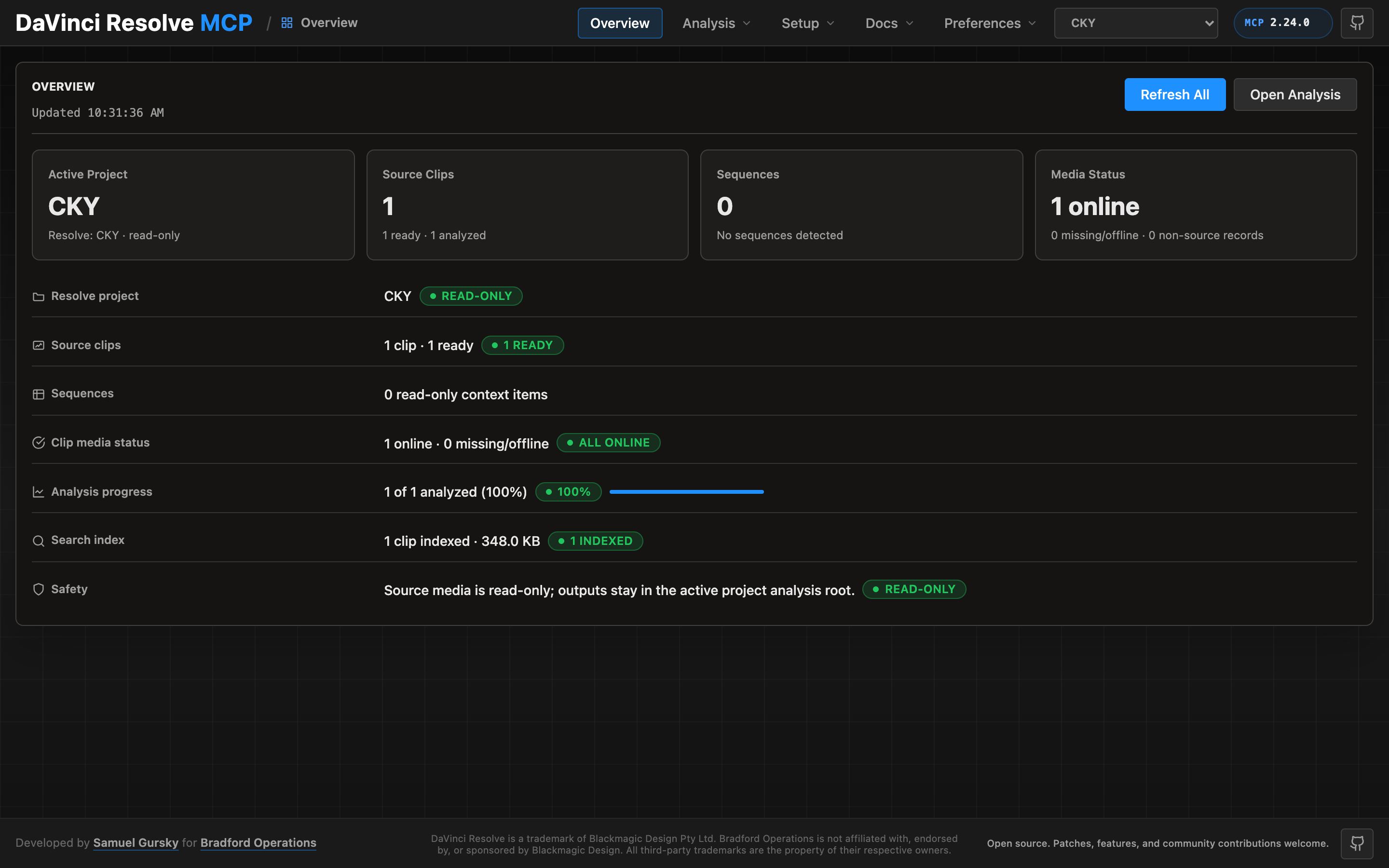
The article explains that Blackmagic gates external scripting to the Studio edition and that the bridge reaches the free edition through a small script that runs inside Resolve and re-exports it over an authenticated loopback listener. This control panel is the interface the bridge exposes for managing that listener.
According to the project's documentation, Blackmagic gates external scripting to the Studio edition: on the free edition, a `scriptapp("Resolve")` call that tries to reach Resolve from a foreign process is refused, whatever the preference says. Through Resolve 21.0.x the Workspace ▸ Scripts menu was not gated — a script launched from it is handed the live resolve object (measured on free 21.0.3.7) — so the server can reach the free edition through a small script that runs inside Resolve and re‑exports it over an authenticated loopback listener.
Resolve 21.1 moved Python scripting to Studio. On free 21.1 the Scripts menu no longer lists .py files at all (reported on Fedora 44 in #203; a Lua script in the same folder lists normally). Whether the Console still runs Python there is unconfirmed, so treat the bridge as a 21.0.x path until that is measured.
Once that listener is running it is used automatically whenever external scripting is unavailable — no environment variable required. Setting DAVINCI_RESOLVE_BRIDGE=1 forces the bridge instead: it becomes the only transport tried, so a bridge that stops answering reports its own fault rather than quietly falling back to another transport. Use it when the bridge is the path you intend to depend on.
Beyond the scripting API
The scripting API does not cover every operation, which is why the project ships a second, optional server. Where the Python server drives a live Resolve over the sanctioned scripting API, the advanced server does what the API cannot — it reads and edits Resolve files (.drp, .drt, .drx) and applies DB/XML‑level changes with no Resolve running, so it can operate in the cloud or locally. It exposes 18 tools covering per‑clip grade codec, deterministic offline grading/QC catalog, conform, color tracing across re‑conforms, Fusion and Fairlight work, and project‑level database and pipeline operations. The project notes that grade writes are live‑calibrated against Resolve Studio and that a relayout operation closes a UI‑only gap around cleaning up node graphs.
What this means in practice
For a user who already knows Resolve, the practical effect is that repetitive, mechanical work can be handed to an assistant: organizing bins, setting up renders, assembling highlight reels from long‑form footage, detecting sync problems. That is the same class of promise that surrounds the release — turn tedious work over to conversational language so the human stays on the creative side.
The caveats
Three limitations are worth stating plainly. First, the free‑edition path is already narrowed: 21.1 moved Python scripting to Studio, and whether the free Console still runs Python on free 21.1 is unconfirmed. The bridge keeps the free edition reachable for now, but the project itself treats it as a 21.0.x‑era mechanism until that is measured. Second, the scripting API does not cover every operation, so an assistant's reach is bounded by what Resolve exposes; the supplied documentation does not enumerate the gap. Third, the advanced file‑editing server is a separate tool with its own Node dependencies and calibration requirements — powerful, but not a transparent layer over the application.
The tools that make Resolve formidable — node‑based color grading, Fusion compositing, Fairlight mixing — remain the core of the application, and the assistant integration addresses the work around them rather than the craft itself. What 21.1 and the MCP ecosystem around it may do is lower the cost of everything else.