OpenStreetMap (OSM) is a free, editable world map built by volunteers. Its data feeds dozens of free services, so a single verified edit can improve maps used by many applications. A tutorial from the Website Wizard JOSM plugin team aims to guide first-time contributors from signup to a published edit in under 15 minutes.
The tutorial focuses on adding a "website" tag in OSM, which stores a place's official website URL. Once a shop or amenity has a website tag, mappers can often infer phone numbers, opening hours, email, and other details from that site. The Website Wizard plugin automates much of the search process by opening a query in DuckDuckGo prefilled with the place name and a search prefix the user supplies, then allows pasting the official URL and saving.
The seven-step workflow outlined in the tutorial is: (1) create an OSM account and confirm email; (2) download and run JOSM (the Java OSM Editor, a desktop application for querying and editing OSM data); (3) download OSM data for a small, familiar area no larger than a few city blocks; (4) filter the data to show only shops and amenities missing a website tag using a specific query; (5) install the Website Wizard plugin via JOSM's preferences; (6) search for the official website and paste the URL; (7) upload the changeset with a "survey" source tag.
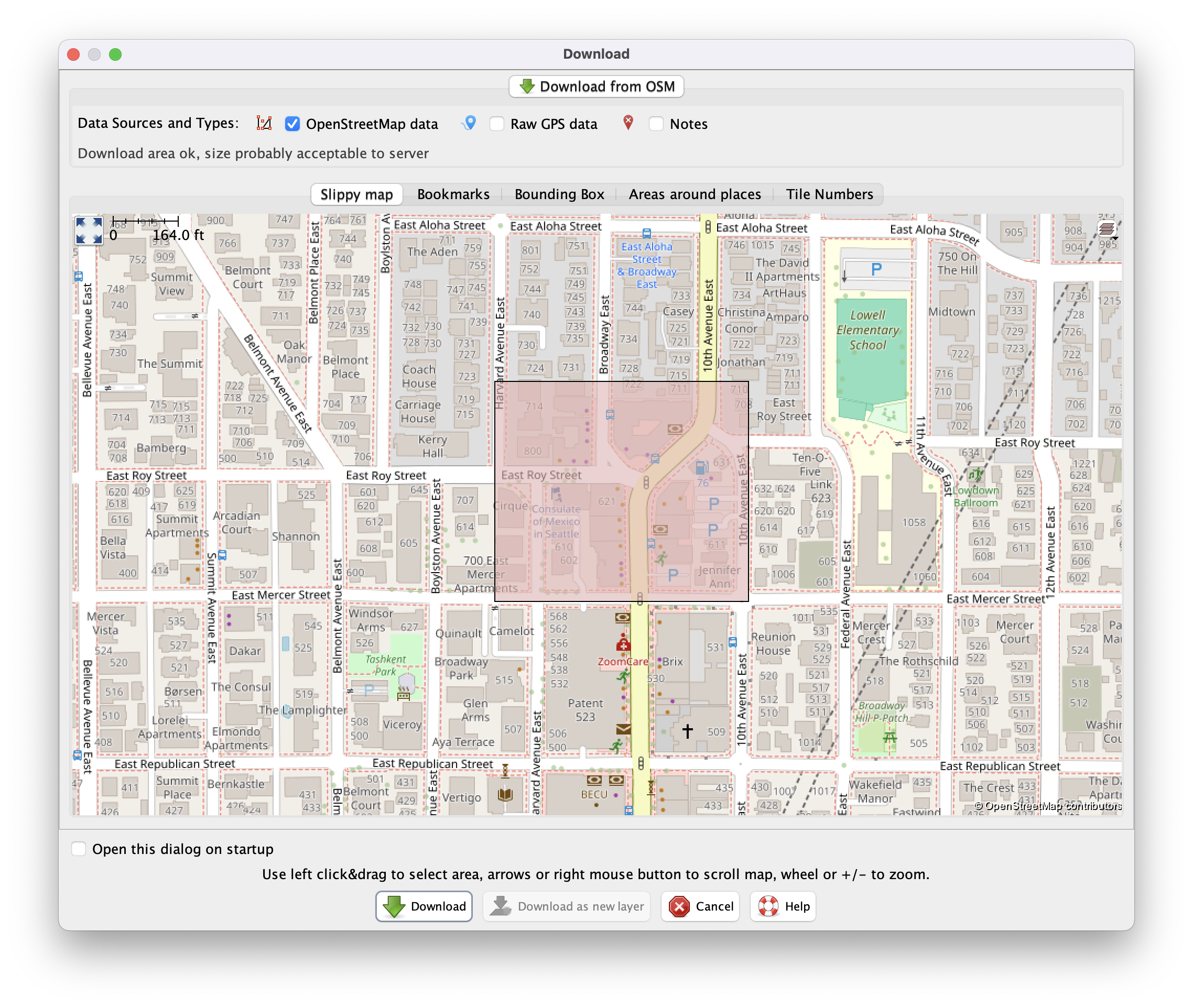
The tutorial's third step is downloading OSM data for a small, familiar area no larger than a few city blocks; the Download panel is where mappers select that area of interest on the map.
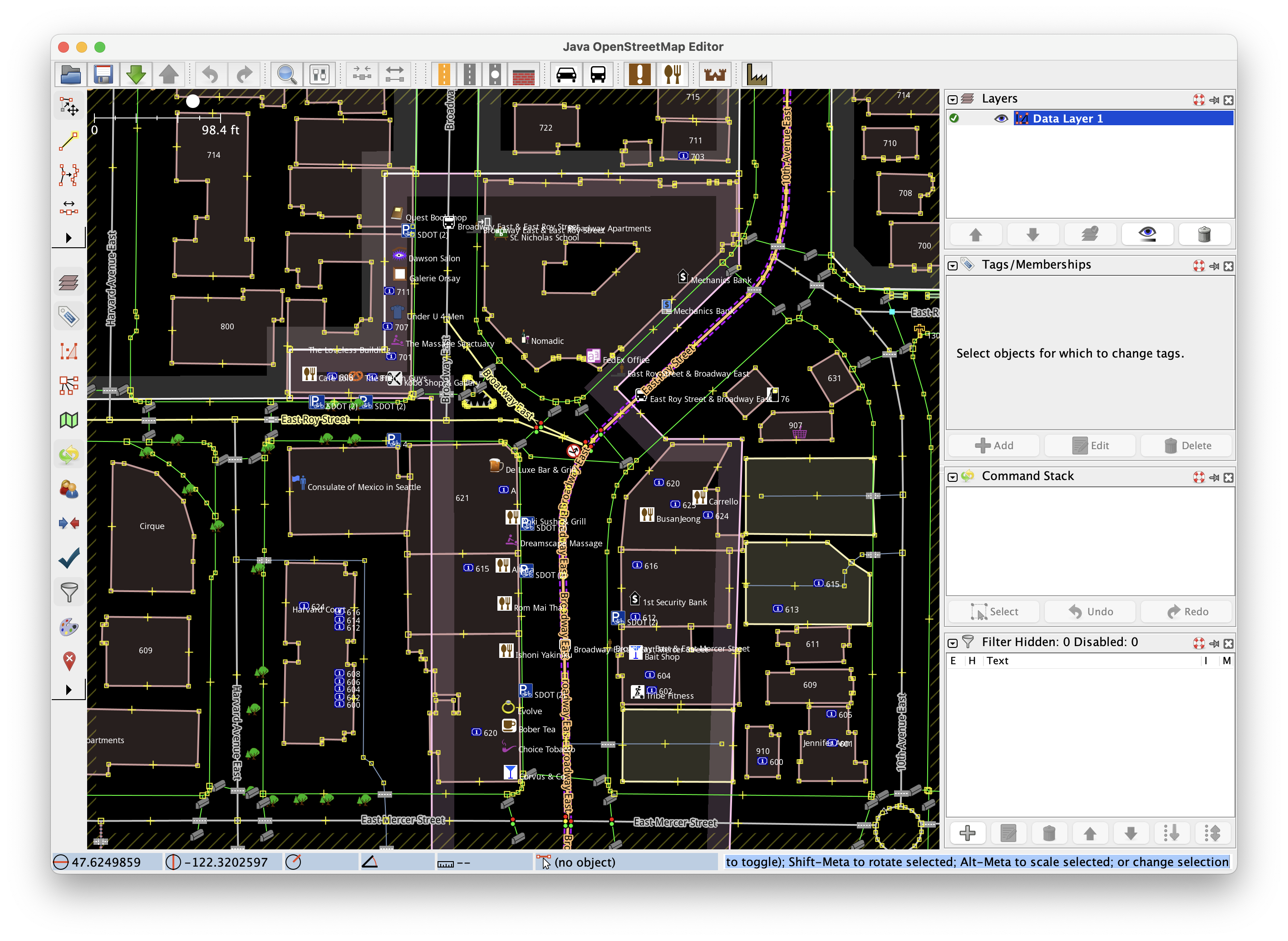
After downloading the data, the tutorial's fourth step is to filter it; this image shows the raw OSM data for the area before the website-tag filter narrows the view to workable candidates.
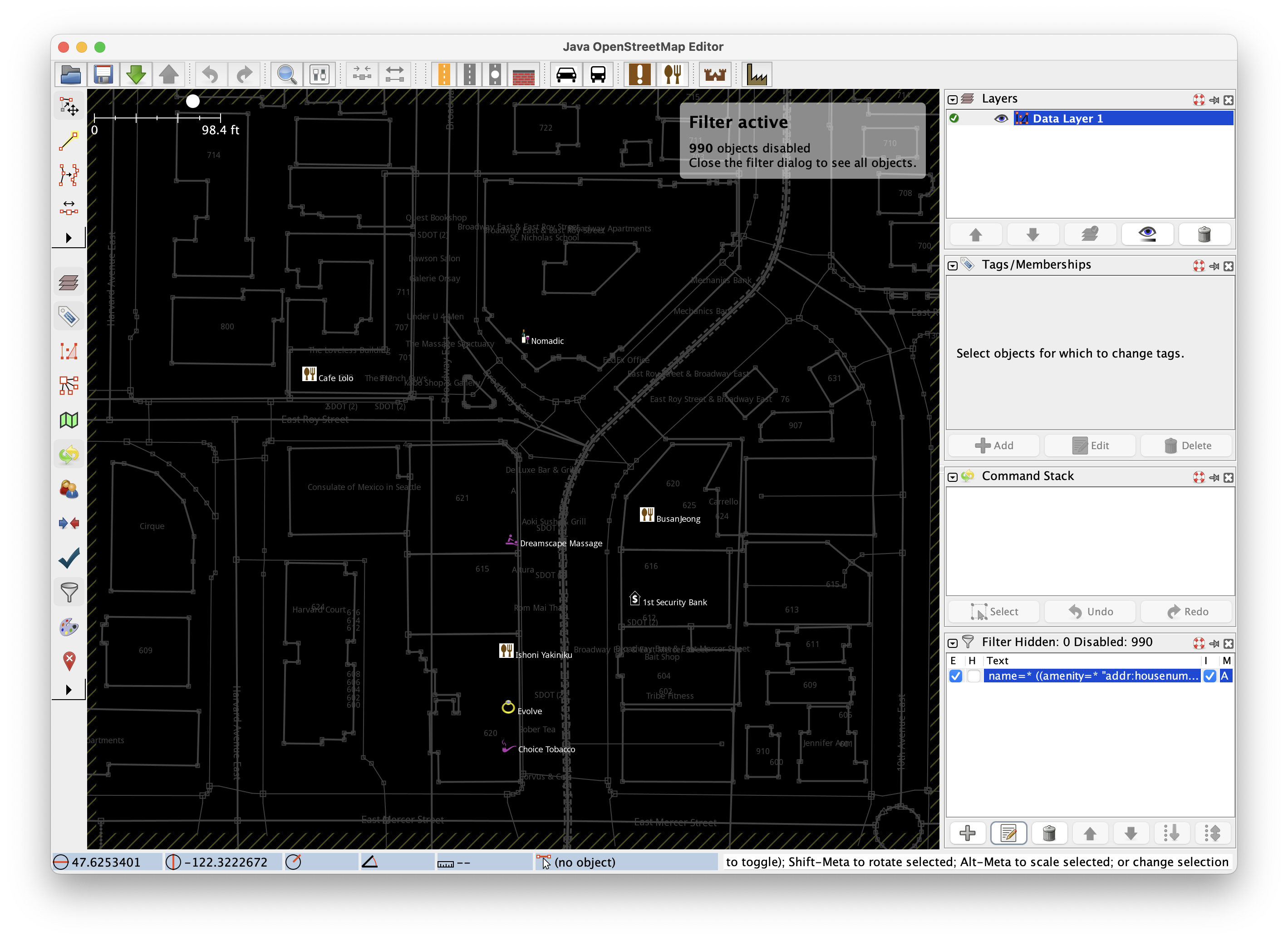
The tutorial's fourth step uses a specific query to show only shops and amenities missing a website tag, making it easier to work through candidates; this filtered view is the result of that query.
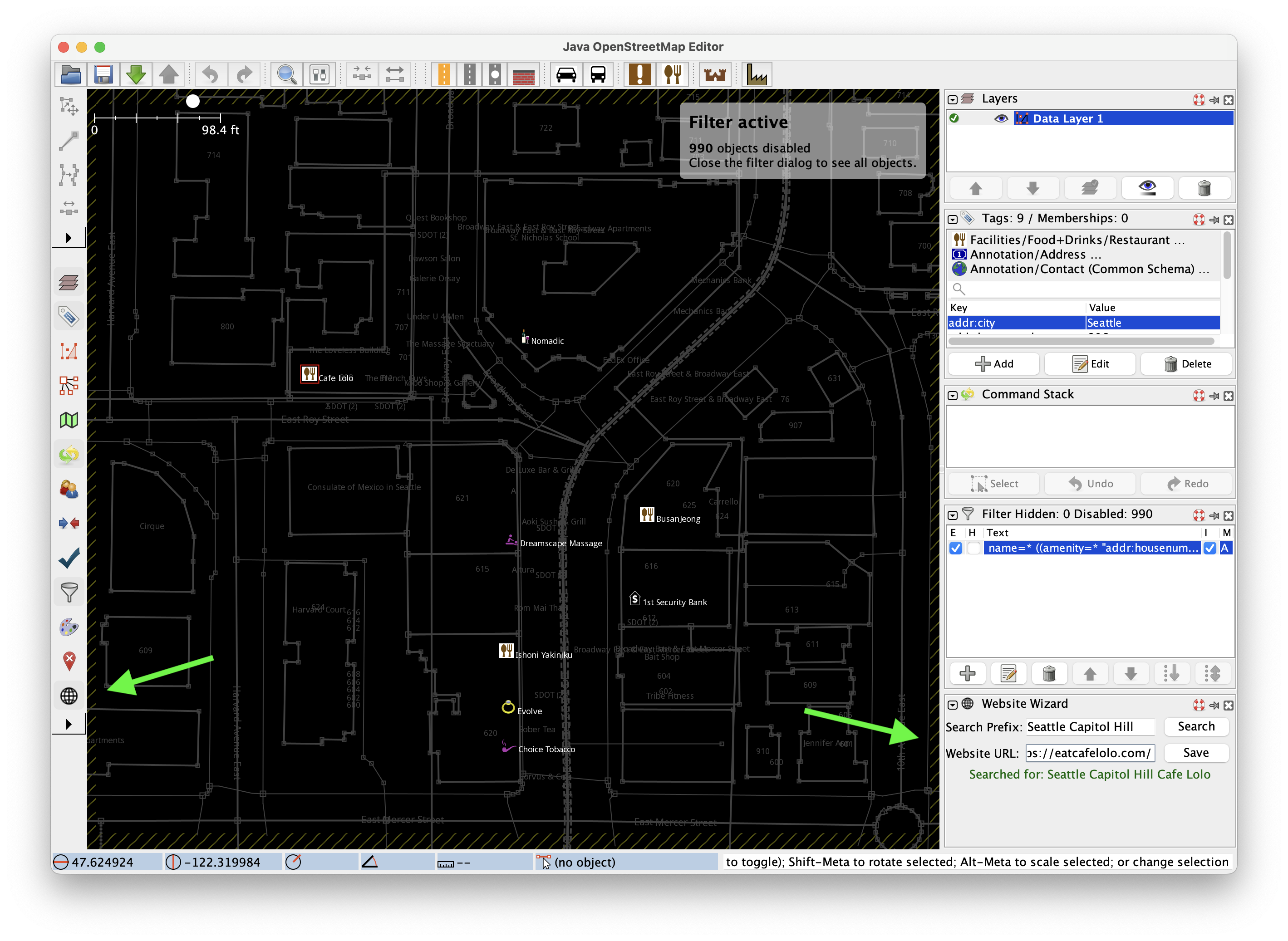
In the tutorial's sixth step, the Website Wizard plugin automates the search by opening a DuckDuckGo query prefilled with the place name and a user-supplied prefix, then lets the mapper paste the official URL.
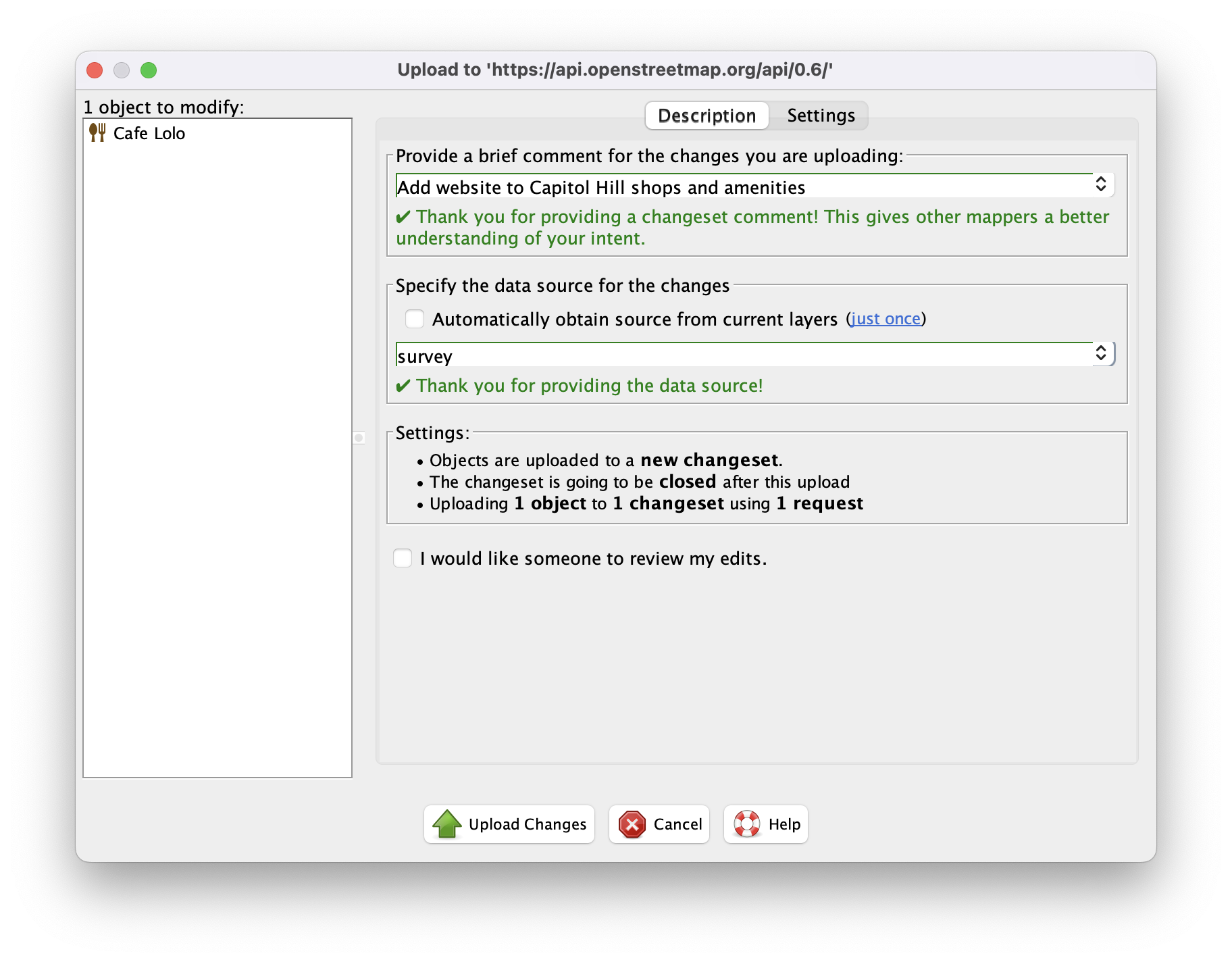
The tutorial's seventh and final step is uploading the changeset with a 'survey' source tag; the Upload panel is where that publication happens after the website tag has been added.
The tutorial explicitly advises against using social media profiles, review sites, or business aggregators as the website source, and notes that mistakes can be undone with Ctrl+Z. As an example of potential scale, the author mentions having added 66 website tags in Seattle's Wallingford neighborhood in a single changeset.
For readers who find JOSM intimidating, the tutorial itself points to simpler options: StreetComplete on Android and Go Map!! on iOS, both task-oriented mobile applications. It also acknowledges that some mappers prefer iD, the in-browser editor embedded at openstreetmap.org, for straightforward edits, though it argues JOSM's filtering and plugin support are more efficient for bulk tagging. This presents a trade-off between power and accessibility: JOSM offers advanced filtering and automation but requires a Java desktop install (~365 MB), while mobile and browser editors lower the barrier to entry at the cost of fine-grained control.
A caveat: the tutorial's 15-minute claim depends on familiarity with the area and having a clear official website to cite. The source does not provide independent verification of typical completion times, and the statement that OSM contributions are "ingested into dozens of free OSM-based services" reflects the publisher's perspective rather than an independent measurement of downstream adoption.