Kage is an open-source command-line project that approaches web preservation by turning a live site into a static, offline copy. Its creator describes a process in which headless Chrome renders each page, the finished DOM is captured, scripts are removed, and CSS, images, and fonts are rewritten to local paths. The repository’s central claim is that the resulting pages look like the live site while running no JavaScript and making no network requests.
That distinction matters because a conventional browser save can preserve source markup without reproducing a page after client-side rendering has occurred. Kage instead waits for the page to settle before taking its snapshot. In practical terms, the tool is trying to preserve the rendered state a reader sees, rather than merely the HTML initially returned by the server. This is useful for documentation, essays, tutorials, and other relatively static sites whose value lies in their content rather than their interactive behavior.
The project documents a straightforward workflow: `kage clone` creates a browsable mirror, `kage serve` previews it locally, and `kage pack` compresses the mirror into a single artifact. The clone command can limit page count and crawl depth, follow selected path prefixes, include subdomains, scroll pages to trigger lazy-loaded assets, and resume after interruption. The documentation also says the crawler reads `robots.txt` and seeds work from `sitemap.xml`, while options can change those defaults.
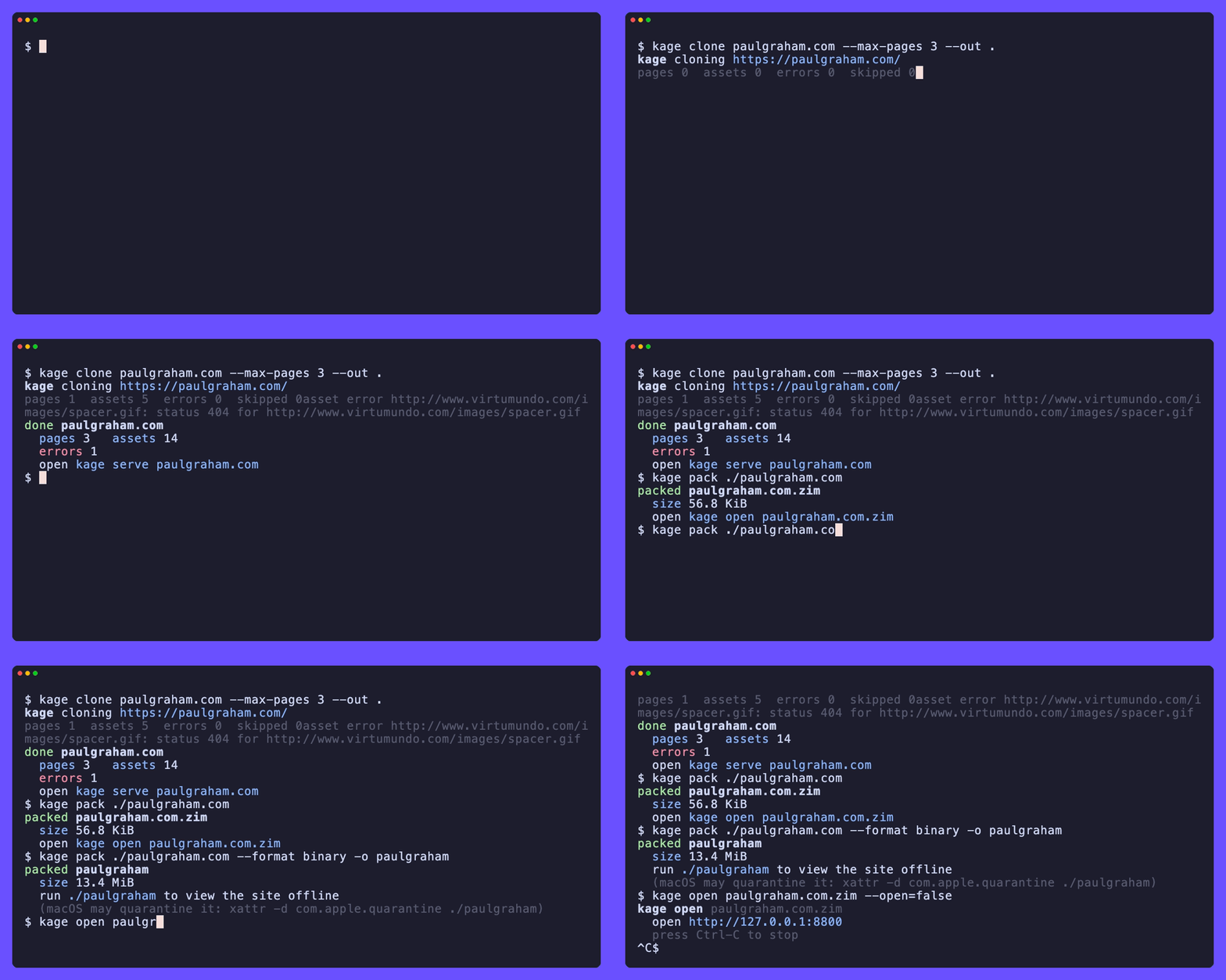
The demonstration follows the article’s documented clone, pack, and serve workflow while showing the resulting site operating without its original live connection. Credit: github.com.
For transport and long-term access, Kage can write a ZIM archive, a format used by the Kiwix offline-content ecosystem. The repository says text is compressed with Zstandard while media is retained without that compression step. It also states that the same archive can be opened through Kiwix tools or applications, although Kage does not create the full-text search index included in some Kiwix packs. That limitation means navigation may remain usable even when in-reader search is weaker than it is for purpose-built archives.
A second packaging option appends the archive to a Kage executable, producing one file that serves the site without requiring Kage, a ZIM reader, or another installation. The tradeoff is size: the repository estimates roughly 13 MiB for the viewer before adding the site itself. Optional builds can open the result in a native window through platform WebViews, while the default pure-Go build opens the system browser. Those are implementation choices documented by the project, not independent guarantees about every operating system or future browser version.
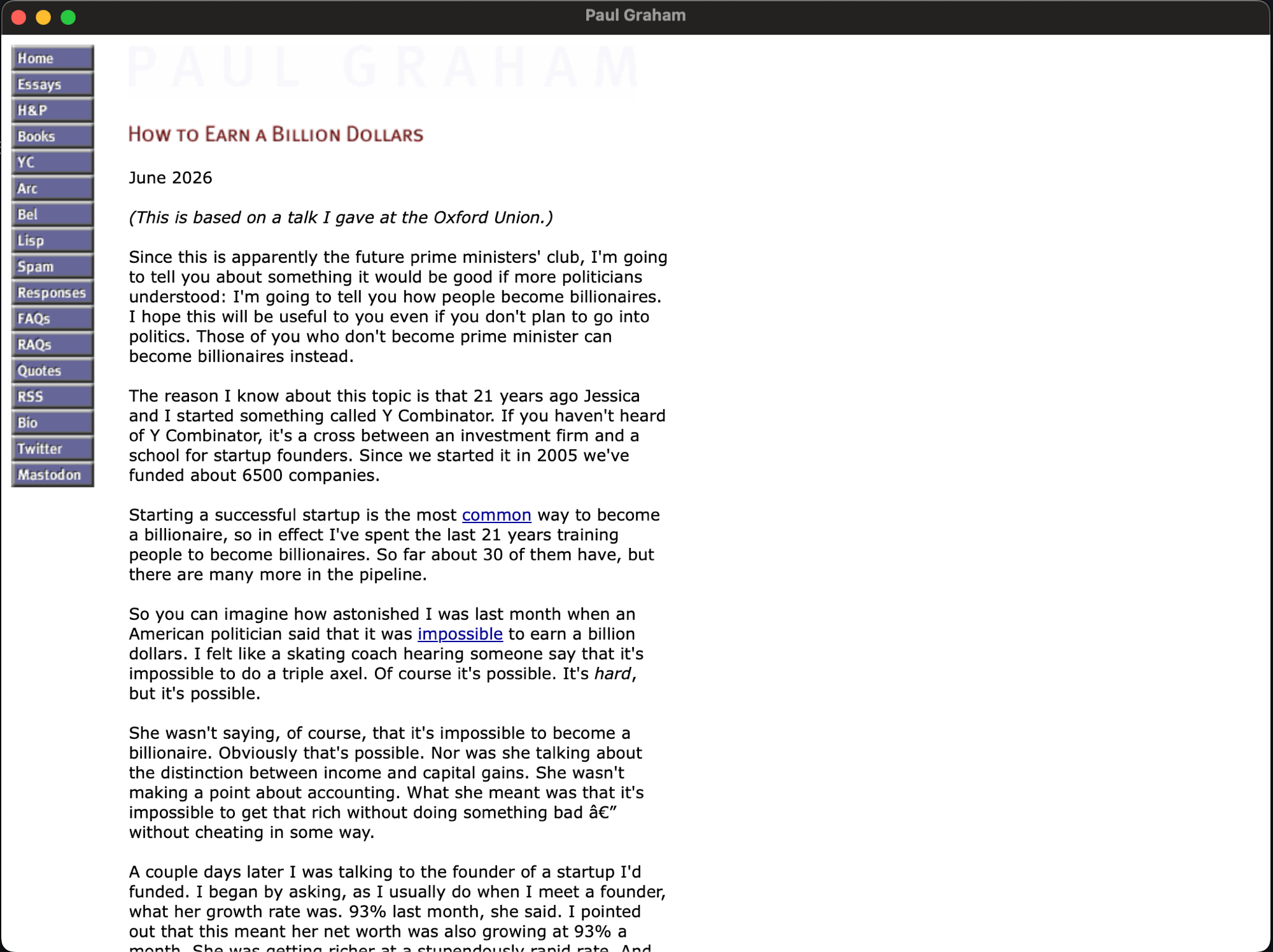
The screenshot illustrates the optional packaged executable and native-WebView viewing approach described in the article. Credit: github.com.
The script-removal claim should be read precisely. The supplied repository describes stripping JavaScript from the captured output and localizing linked assets; it does not establish that every website can be faithfully preserved. Forms, authentication, streaming media, server-dependent actions, embedded third-party content, and features that require live APIs may be absent, degraded, or reduced to their last rendered state. A snapshot can therefore preserve appearance and readable content without preserving the original application’s behavior.
The evidence also does not show how Kage handles copyright, terms of service, paywalls, private data, or site-specific access controls. The documentation’s crawl settings describe technical behavior, not legal permission. Readers should treat the tool as a way to make authorized copies of material they are entitled to access, and should separately evaluate the rules attached to each source.
Kage’s strongest documented idea is separation: let a real browser produce the visible page, then retain a static representation that no longer depends on the original site’s JavaScript. Its limits are equally important. The archive records a crawl at a particular moment, within configured boundaries, and cannot prove that dynamic content, hidden states, or future versions of the site have been captured. For the right kind of website, that can be a practical route to offline reading; for a full web application, it is a snapshot rather than a working replica.