iChat AV, introduced at Apple’s 2003 Worldwide Developer Conference alongside the G5 processor and OS X 10.3 Panther, brought audio and video conferencing to consumer Macs, often paired with the iSight webcam. The service relies on a series of steps: iChat first fetches a text file from http://configuration.apple.com/configurations/macosx/ichat/1/snatmap.txt to obtain the address of a SNATMAP server, then queries that server over UDP to learn its public IP and port, exchanges that information with the remote client via XMPP, and finally establishes a peer‑to‑peer RTP media stream. Because the original SNATMAP server no longer responds and OS X’s outdated TLS library cannot handle the server’s HTTPS redirect, the connection fails at the very first HTTP request.

The article notes that iChat AV was often used with the iSight webcam, which is shown here as the original hardware that enabled video capture.
The article describes the SNATMAP protocol steps in detail, and this diagram visualizes the request‑response exchange that the author reverse‑engineered.
The author revived the feature by reverse‑engineering the SNATMAP protocol with the help of an LLM, which revealed that the server speaks UDP on port 5678 and exchanges a simple 16‑byte request and response containing a nonce, the client’s local IP and port (unused), and the server‑observed external IP and port. Using that specification, they wrote a minimal Python UDP server that implements the SNATMAP exchange. To make iChat reach this server, they added a line to /etc/hosts on the Leopard machine mapping configuration.apple.com to the public IP of the host running the SNATMAP server, and served the file snatmap.txt containing snatmap://YOUR_SERVER_IP:5678 from a lightweight web server at the expected path.
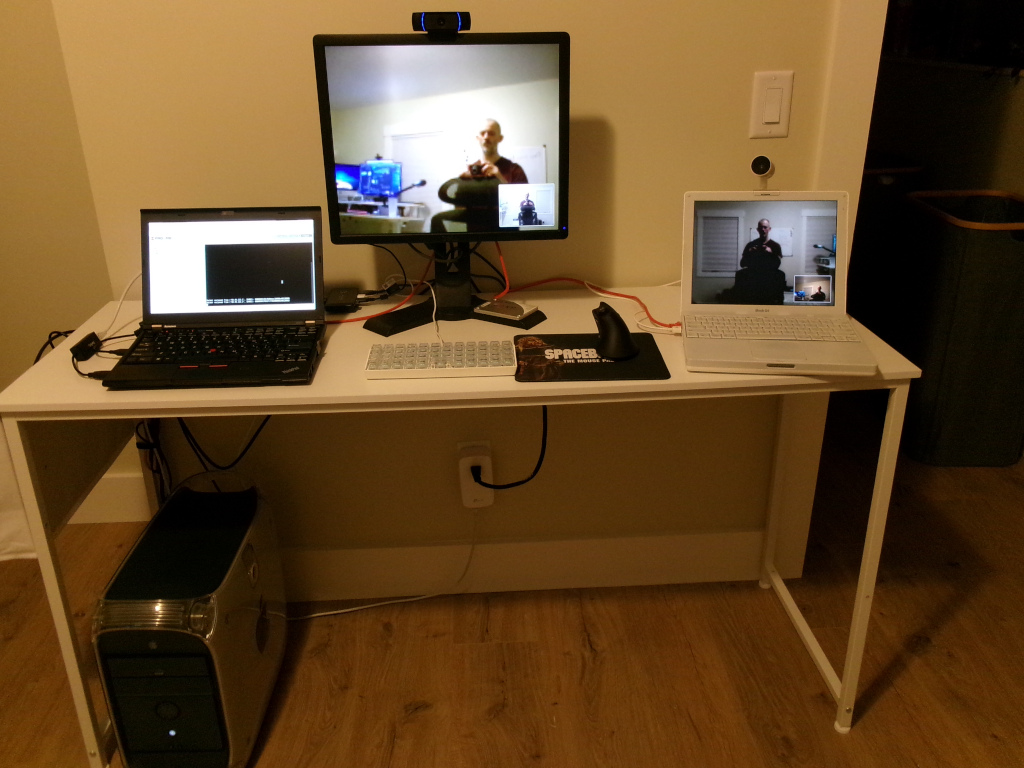
The article explains that testing involved two OpenWrt NAT routers and a Debian VM on the same host to provide XMPP, web, and SNATMAP services, as depicted in this lab photograph.
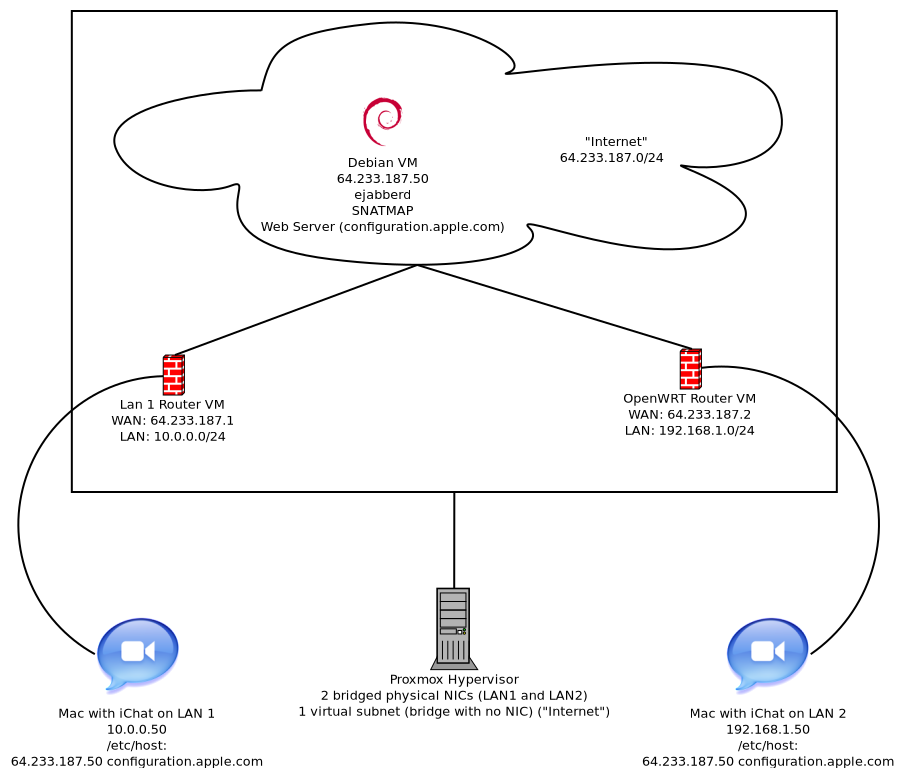
Testing was performed in a lab that simulated the Internet: two OpenWrt NAT routers ran as virtual machines on a Proxmox host, each providing a private LAN for a vintage Mac, while a Debian VM on the same host provided the Jabber (ejabberd) XMPP server, the web server for snatmap.txt, and the SNATMAP service. With this setup, the author was able to place audio and video calls between the two Macs over the real Internet, as shown in a screenshot of the chat session. The solution works with contemporary USB webcams—such as a Logitech C920—on OS X Leopard, and the author keeps their SNATMAP server running for the few remaining users who wish to chat via iChat AV, offering the simple /etc/hosts entry 185.52.176.175 configuration.apple.com as the easiest way to restore the service.
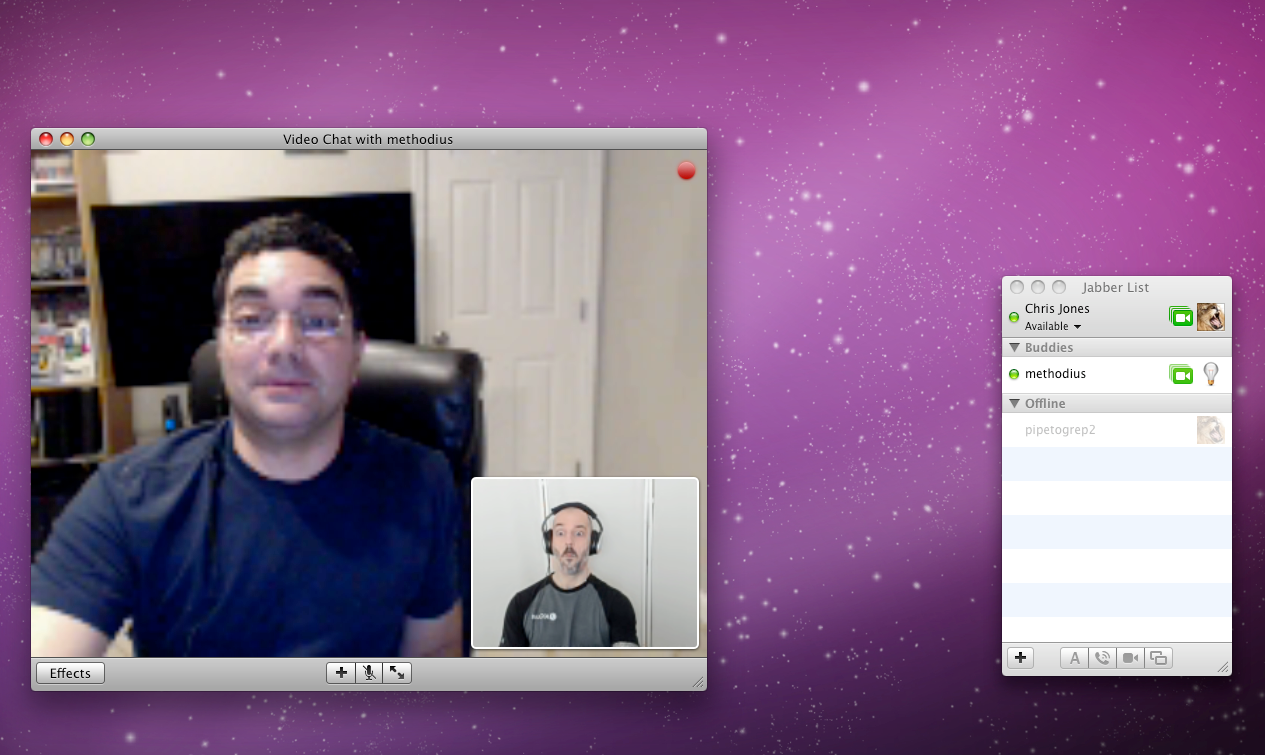
This image corresponds to the screenshot mentioned in the article where the author placed audio and video calls between two Macs over the real Internet using the revived SNATMAP service.